
30 May, 2022
Posted on 30 May, 2022 by Admin, Posted in Dynamics 365 Power Apps Dataverse Power Platform Dynamics-365 Sales
 Blogs
Blogs
I recently found out that we can add or edit ribbon buttons/command bar in PowerApps itself.
I had the habit of customizing ribbon buttons using ribbon workbench, but this time I thought of doing it in PowerApps itself.
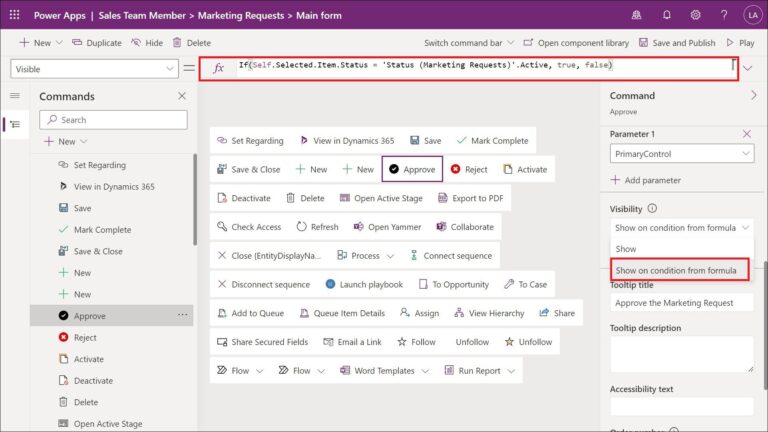
I found out that in PowerApps we have to use Power Fx formula for determining the visibility of ribbon buttons.
After a bit of research I could build this formula.
If(Self.Selected.Item.Status = ‘Status (Marketing Requests)’.Active, true, false)
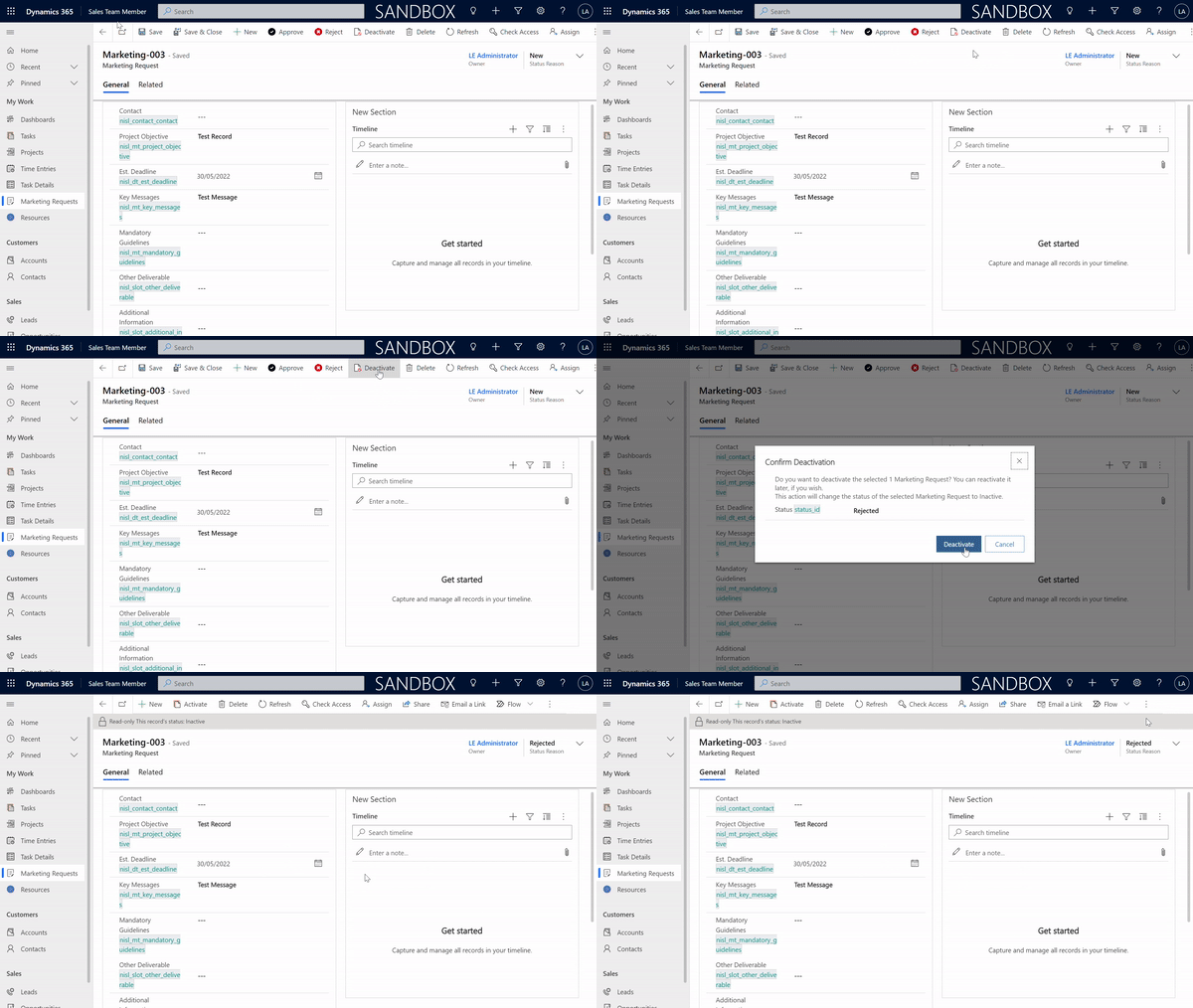
I have created two buttons ‘Approve‘ and ‘Reject‘ which will be hidden when the status of the record is Inactive.
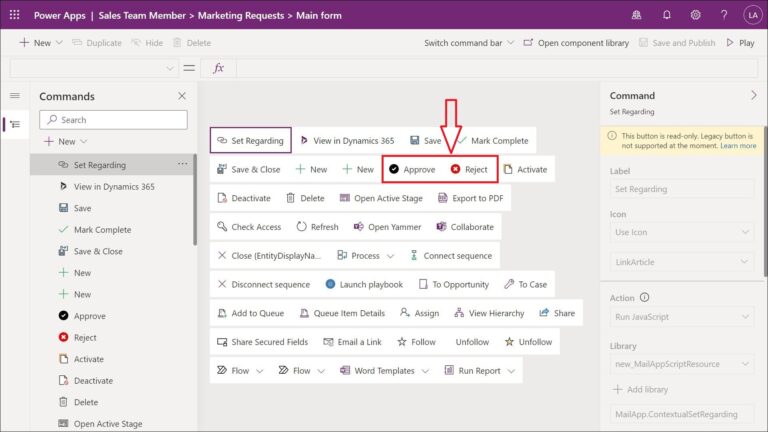
Click on the button and a command panel will open in left hand side.
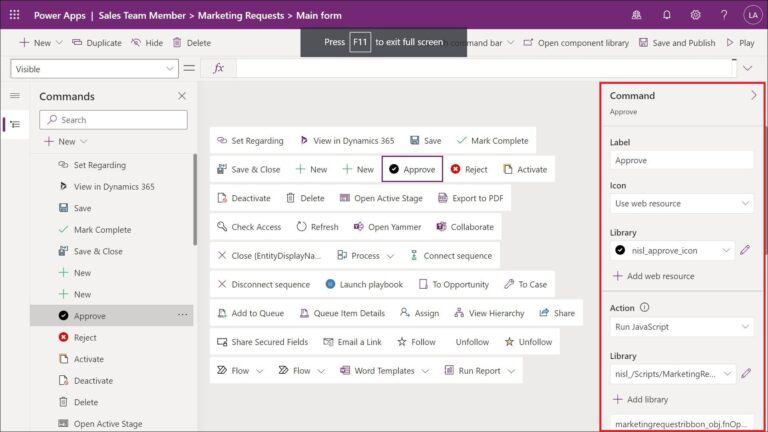
Scroll down in the command panel until you find ‘Visibility‘ option and select ‘show on condition formula‘. Add this formula in the textbox which has fx as a label and then click on ‘Save and Publish‘
If(Self.Selected.Item.Status = ‘Status (Marketing Requests)’.Active, true, false)
After publishing we can see that the buttons are not visible when the record is inactive.
Comment

Power Pages Server Logic allows developers to execute secure backend JavaScript directly within Power Pages. It is commonly used for…
READ MORE
In this blog, we’ll build and deploy a Single Page Application (SPA) using React + Vite and host it on…
READ MORE
Introduction In Dynamics 365, subgrids are commonly used to display related records, such as Opportunities under an Account. While out-of-the-box…
READ MORE