knowledgecenter-breadcrum

Knowledge Center

01 Jul, 2020

How To Add Dynamics Record/View From Microsoft Teams

Posted on 01 Jul, 2020 by Admin, Posted in Dynamics 365

How To Add Dynamics Record/View From Microsoft Teams Blogs

How To Add Dynamics Record/View From Microsoft Teams

Introduction

  • In the previous blog we saw how to integrate Dynamics 365 with Microsoft Teams and add Records/Views from Dynamics to Teams which was a part of Enhanced Microsoft Teams Integration.
  • In this blog, we will see step by step process on how to add a Dynamics record/view to a teams channel from Microsoft Teams itself.
  • In this example, I will add an account record but you can add any record or even a view if you want.

Step by Step

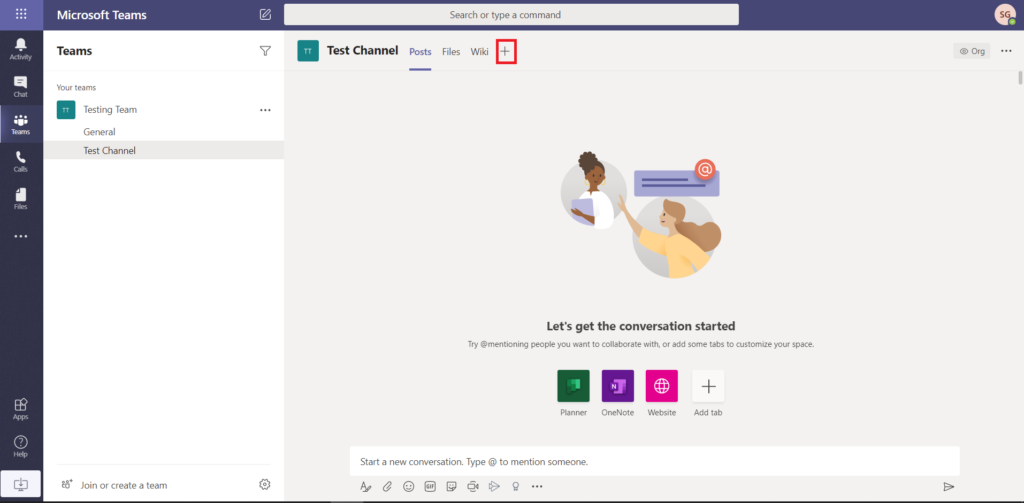
  1. Go to the channel where you want to add the data and click on “+” sign.
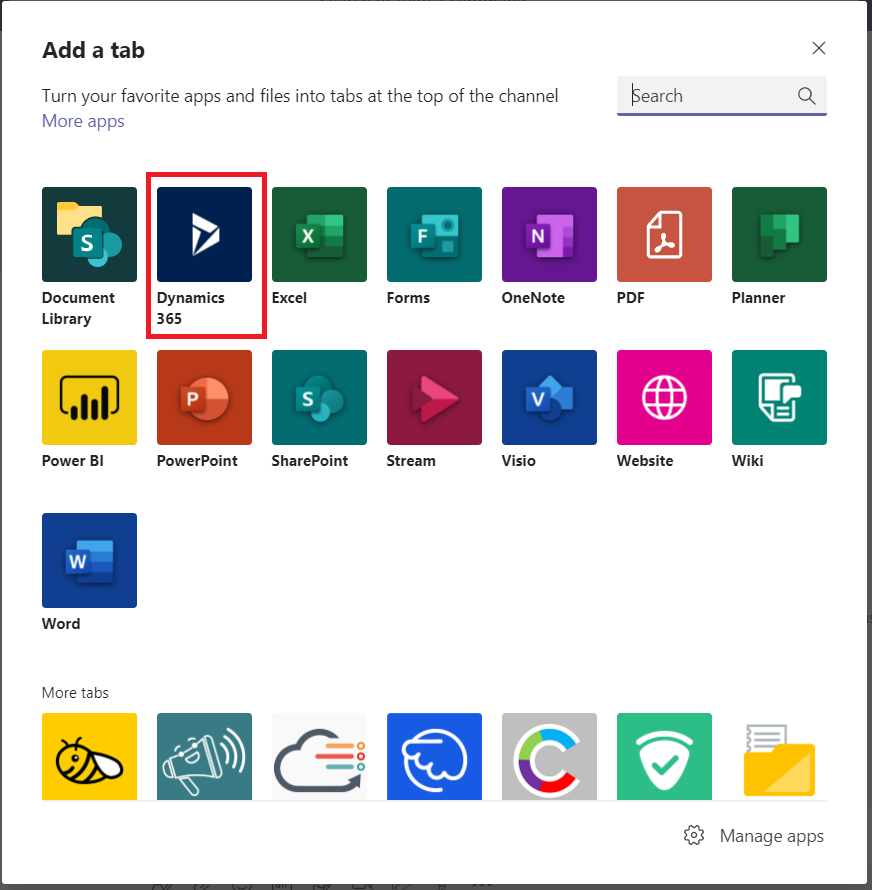
  2. Select Dynamics 365
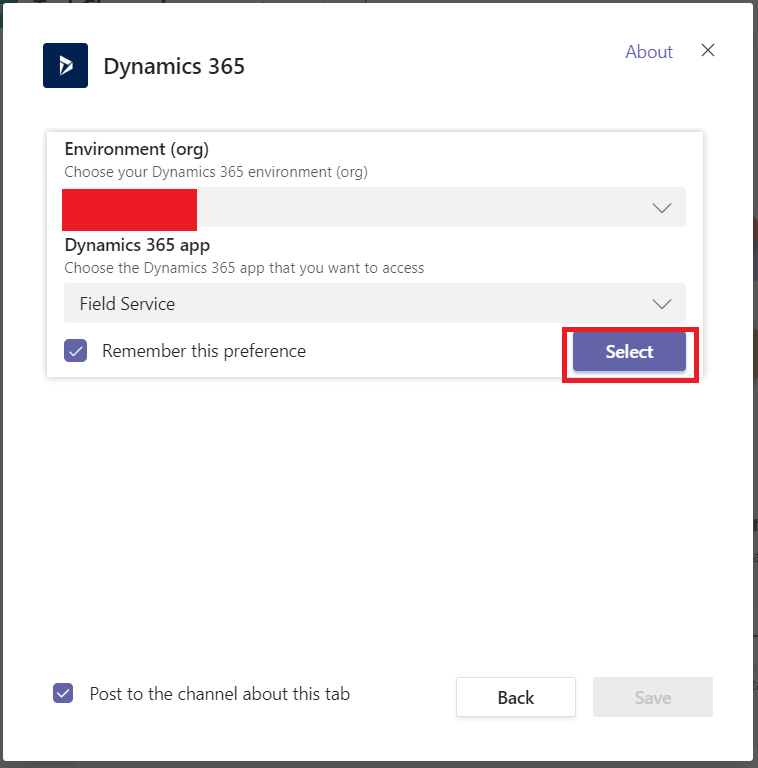
  3. Select your organization instance properly and the Model Driven App from where you want to add the Record/View and click Select.
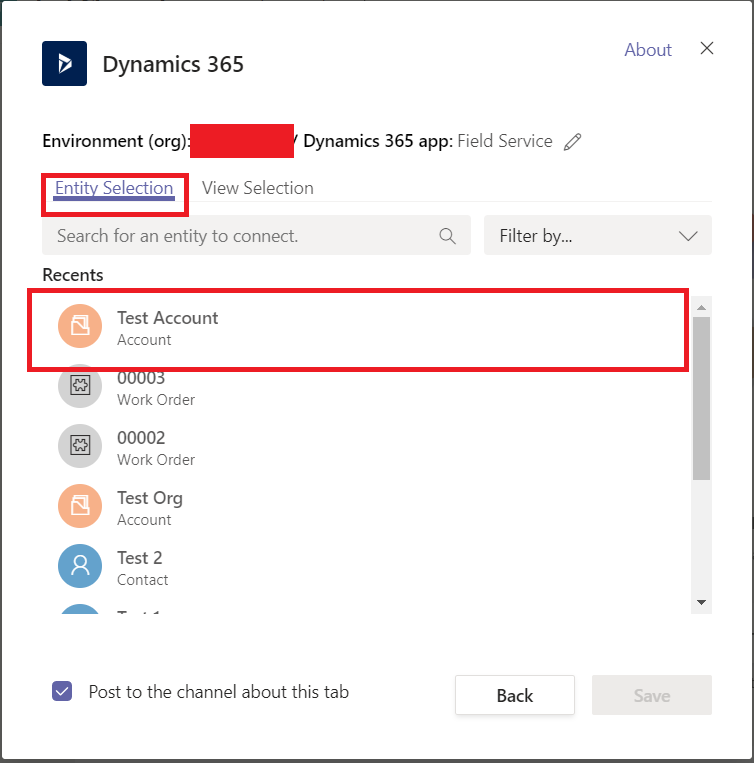
  4. You can then filter and select the Record you want to add and click Save.
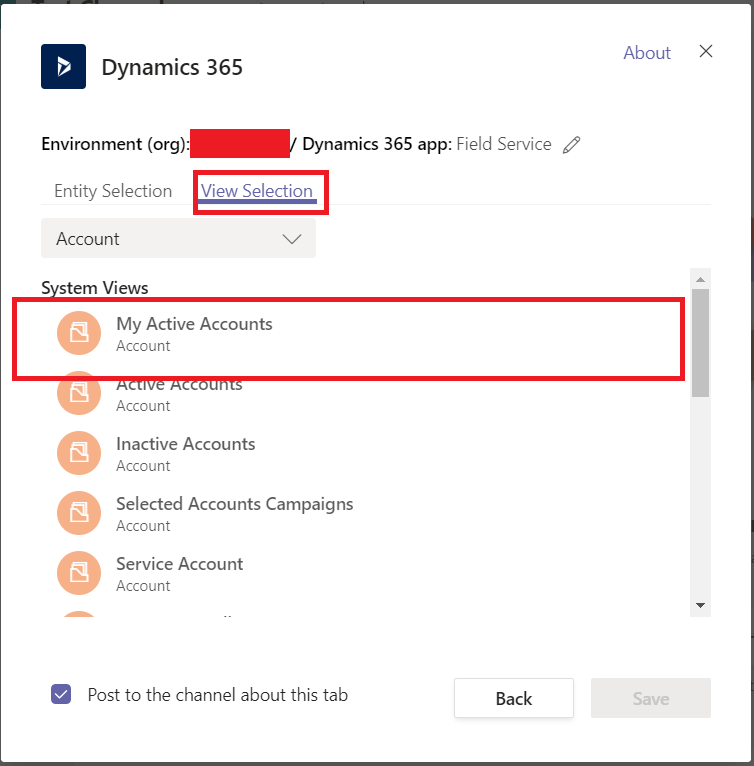
  5. You can also select a View to be added to the tab if you want to.
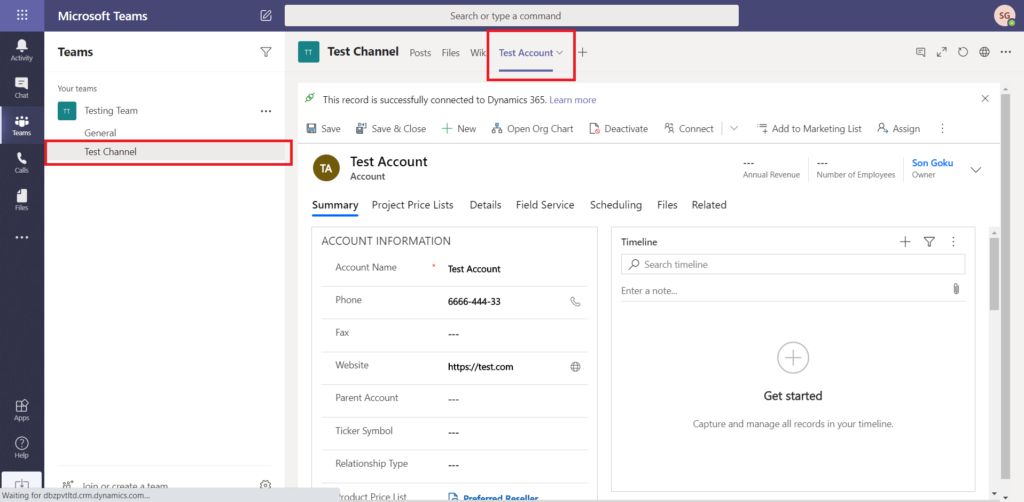
  6. And that’s it you have now added a Dynamics Record from Microsoft Teams.

Comment

This is a Required Field

Loading

Recent Updates

Blogs
31 Mar, 2026

Debugging Power Pages Server Logic Using Visual Studio Code

Power Pages Server Logic allows developers to execute secure backend JavaScript directly within Power Pages. It is commonly used for…

READ MORE
Blogs
31 Mar, 2026

Create and Deploy a Single Page Application (SPA) in Power Pages

In this blog, we’ll build and deploy a Single Page Application (SPA) using React + Vite and host it on…

READ MORE
BuildAndDeployPCF_Thumbnail.png
Blogs
25 Mar, 2026

Build And Deploy Your First Dataset PCF Control In Dynamics 365

Introduction In Dynamics 365, subgrids are commonly used to display related records, such as Opportunities under an Account. While out-of-the-box…

READ MORE