
01 Oct, 2026
Posted on 01 Oct, 2026 by Trupti Nikumbh, Posted in PCF (PowerApps Component Framework) Power Platform
 Blogs
Blogs
Custom Pages provide a modern way to edit records in Dynamics 365. A common approach is to open a Custom Page from a PCF Dataset Grid, allowing users to update records without leaving the current page.
However, after saving the changes and closing the Custom Page, you may notice that the PCF Dataset Grid still displays the old data. The user has to manually refresh the page to see the latest changes.
In this blog, we'll see why this happens and how to fix it with a simple solution.
Suppose you have a PCF Dataset Grid with a button that opens a Custom Page.
The user:
Opens the Custom Page.
Updates a record.
Saves the changes.
Closes the Custom Page.
Although the record is updated successfully in Dataverse, the grid continues to display the previous values.
The Custom Page runs independently from the parent Model-driven form.
When a record is updated inside the Custom Page, the PCF Dataset Grid is not automatically notified that the data has changed. As a result, the grid continues displaying the cached data until it is refreshed.
The navigateTo() method returns a Promise. Once the Custom Page is closed, refresh the dataset so that the latest records are retrieved from Dataverse.
Xrm.Navigation.navigateTo(pageInput, navigationOptions);
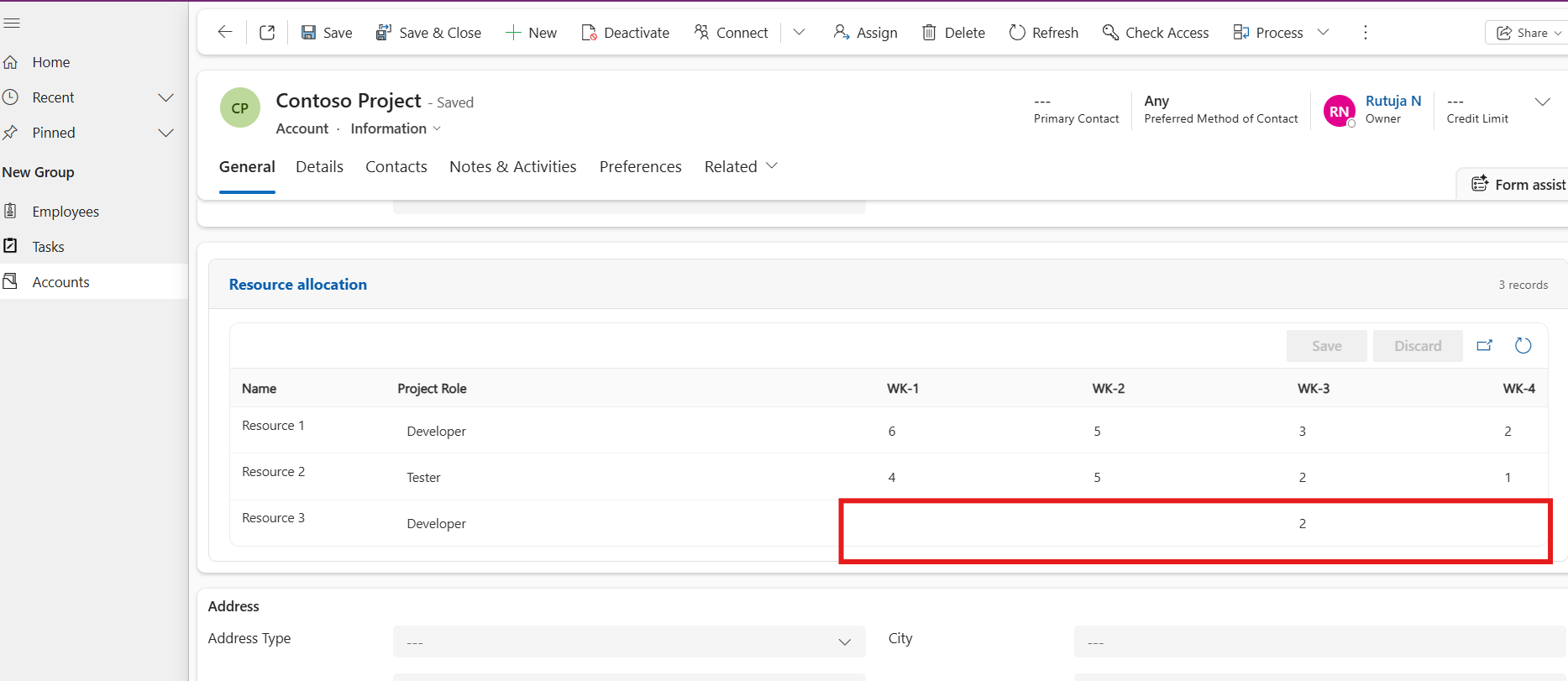
The Custom Page opens successfully, but the grid is not refreshed after closing it.
See Grid
Xrm.Navigation.navigateTo(pageInput, navigationOptions)
.then(() => {
context.parameters.dataset.refresh();
})
.catch((error) => {
console.error(error);
});
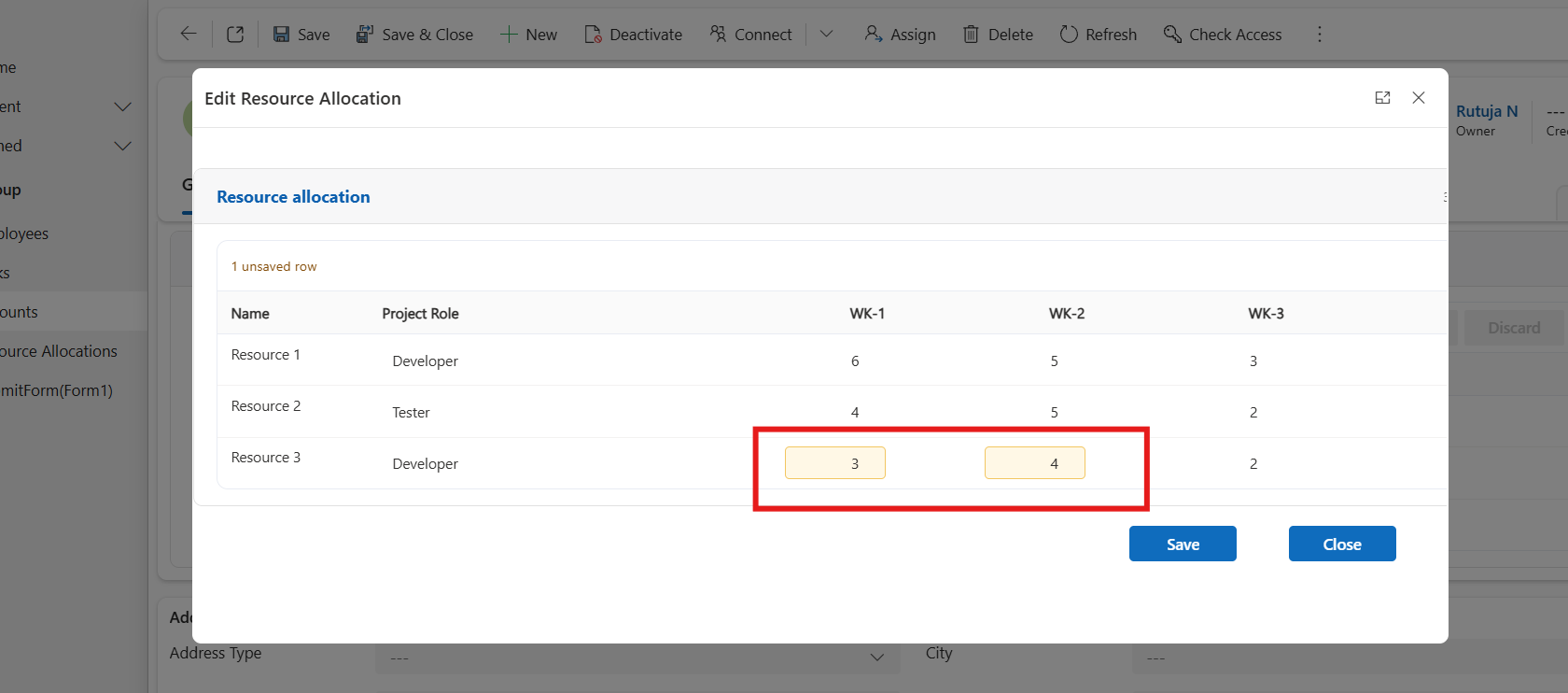
On custom Page updated WK-1,WK-2
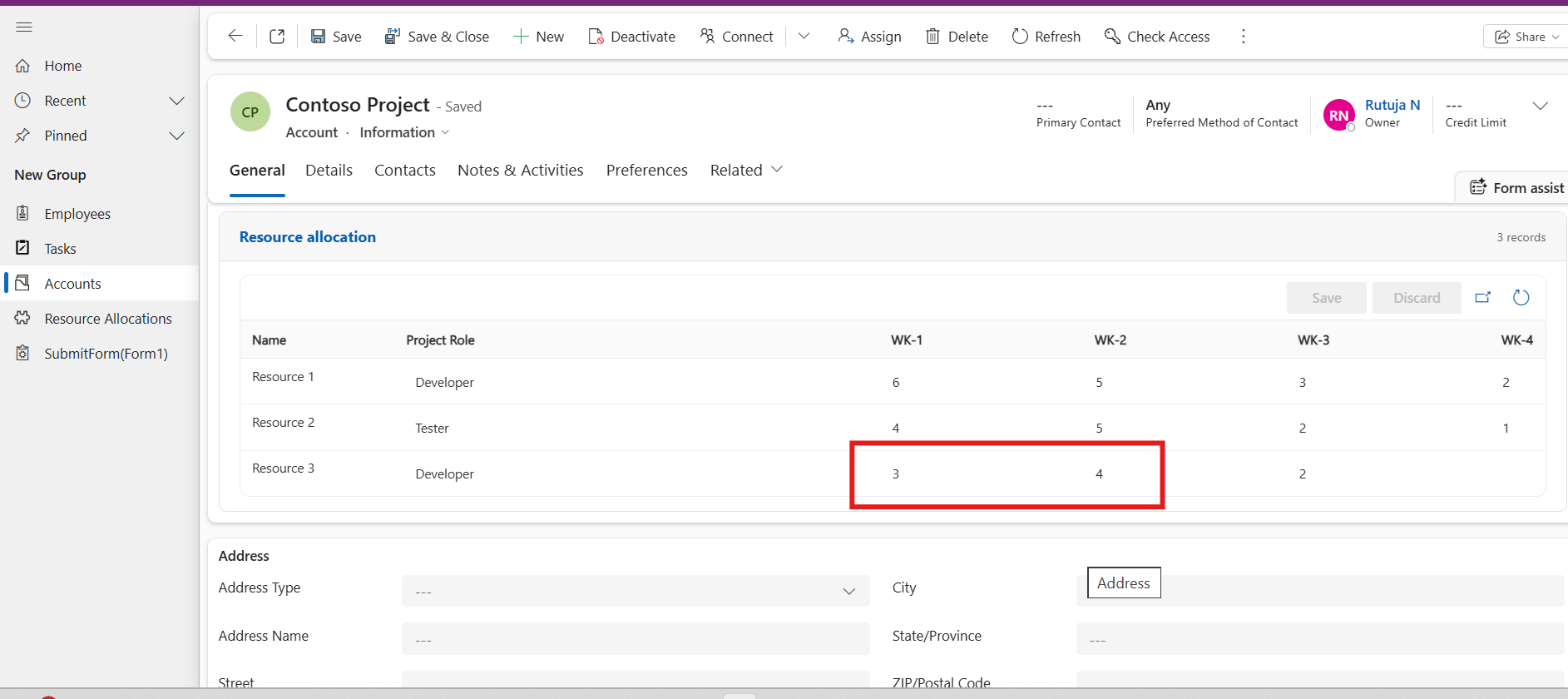
 After Closing custom gird refreshes with actual updated value
navigateTo() opens the Custom Page.
The .then() block executes after the Custom Page is closed.
context.parameters.dataset.refresh() reloads the dataset from Dataverse.
The grid immediately displays the updated records.
No manual page refresh required.
Latest data is displayed immediately.
Better user experience.
Simple implementation with minimal code changes.
Keeps the PCF Dataset Grid synchronized with Dataverse.
When records are edited through a Custom Page, the changes are saved successfully, but the PCF Dataset Grid does not refresh automatically. By refreshing the dataset after the Custom Page closes, users can instantly see the updated data without refreshing the entire page.
A small change like calling context.parameters.dataset.refresh() after navigateTo() significantly improves the overall user experience and keeps your PCF controls up to date.
Comment
Introduction Most teams building Power Automate flows eventually land on the same pattern: wrap your business logic in a Scope,…
READ MORE
How to Dynamically Switch Business Process Flow When Changing Forms in Dynamics 365 Introduction Microsoft Dynamics 365 provides powerful customization…
READ MORE
How to Create a Flyout Button with Multiple Actions on a Form in Dynamics 365 Introduction In model-driven apps, command…
READ MORE