
20 Jan, 2026
Posted on 20 Jan, 2026 by Rohit Bhagat, Posted in Dataverse
.jpg) Blogs
Blogs
In my previous blog, I explained what Power Apps Code Apps are and how we can build apps using React + TypeScript with a modern development experience. If you are new to Power Apps Code Apps, I recommend reading that blog first here: Power Apps Code Apps Guide .
Now in this blog, we will focus on the next important part: ✅ how to connect your Code App to Microsoft Dataverse and start working with Dataverse data.
Microsoft Dataverse is the data platform behind the Power Platform. In this blog, we will learn how to connect a Power Apps Code App to Dataverse using PAC CLI and add Dataverse as a data source.
Before you start connecting your Code App to Dataverse, make sure you have the following ready:
@microsoft/power-apps npm package)Before you add Dataverse as a data source or run any CRUD operations, make sure your PAC CLI is connected to the correct Dataverse environment.
Now add Dataverse as a data source using the table logical name. This command will generate the required models and services for your Code App.
pac code add-data-source -a dataverse -t {table-logical-name}
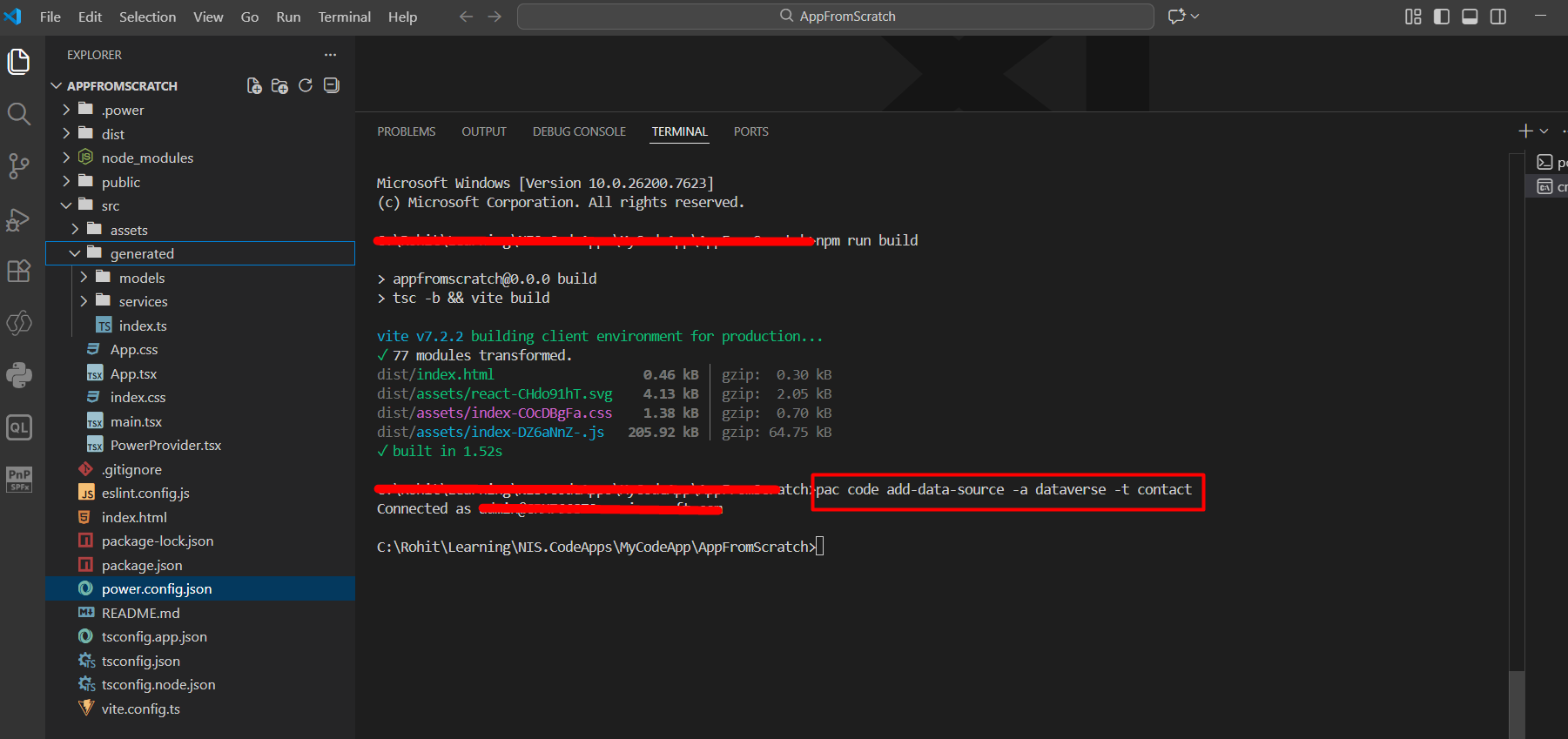
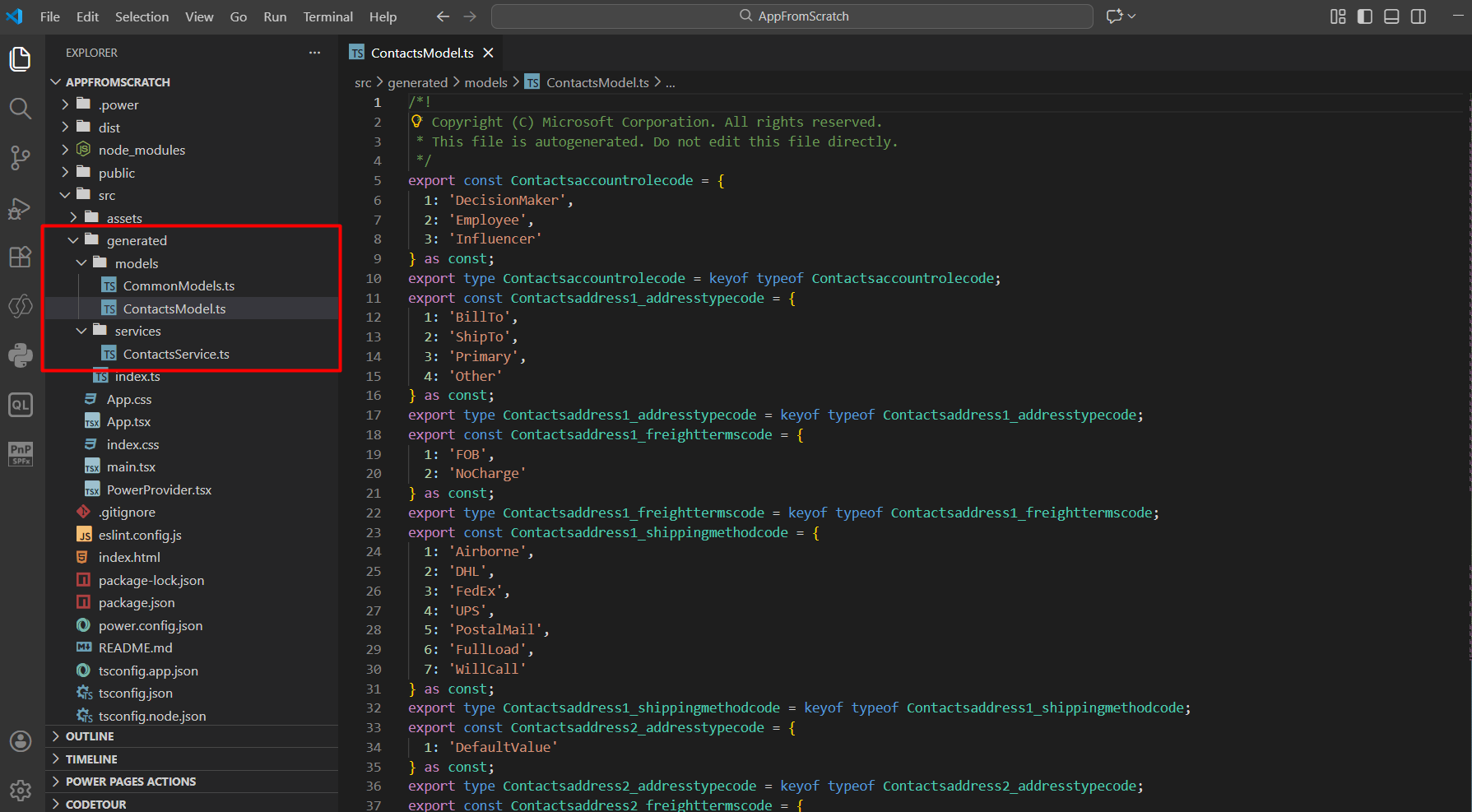
After adding the data source, your project will generate files like:
generated/models/{TableName}Model.tsgenerated/services/{TableName}Service.tsThese files help you to work with Dataverse data using ready-made methods.
This step is required. Before performing any Dataverse operation (CRUD), you must ensure the Power Apps SDK is fully initialized in your App.tsx file. If you call Dataverse services before initialization, it may cause runtime errors due to missing context or uninitialized services.
Example (App.tsx):
useEffect(() => {

  const init = async () => {

    try {

      await initialize();

      setIsInitialized(true);

    } catch (err) {

      setError("Failed to initialize Power Apps SDK");

      setLoading(false);

    }

  };


  init();

}, []);


useEffect(() => {

  if (!isInitialized) return;


  // Place your Dataverse CRUD calls here

}, [isInitialized]); 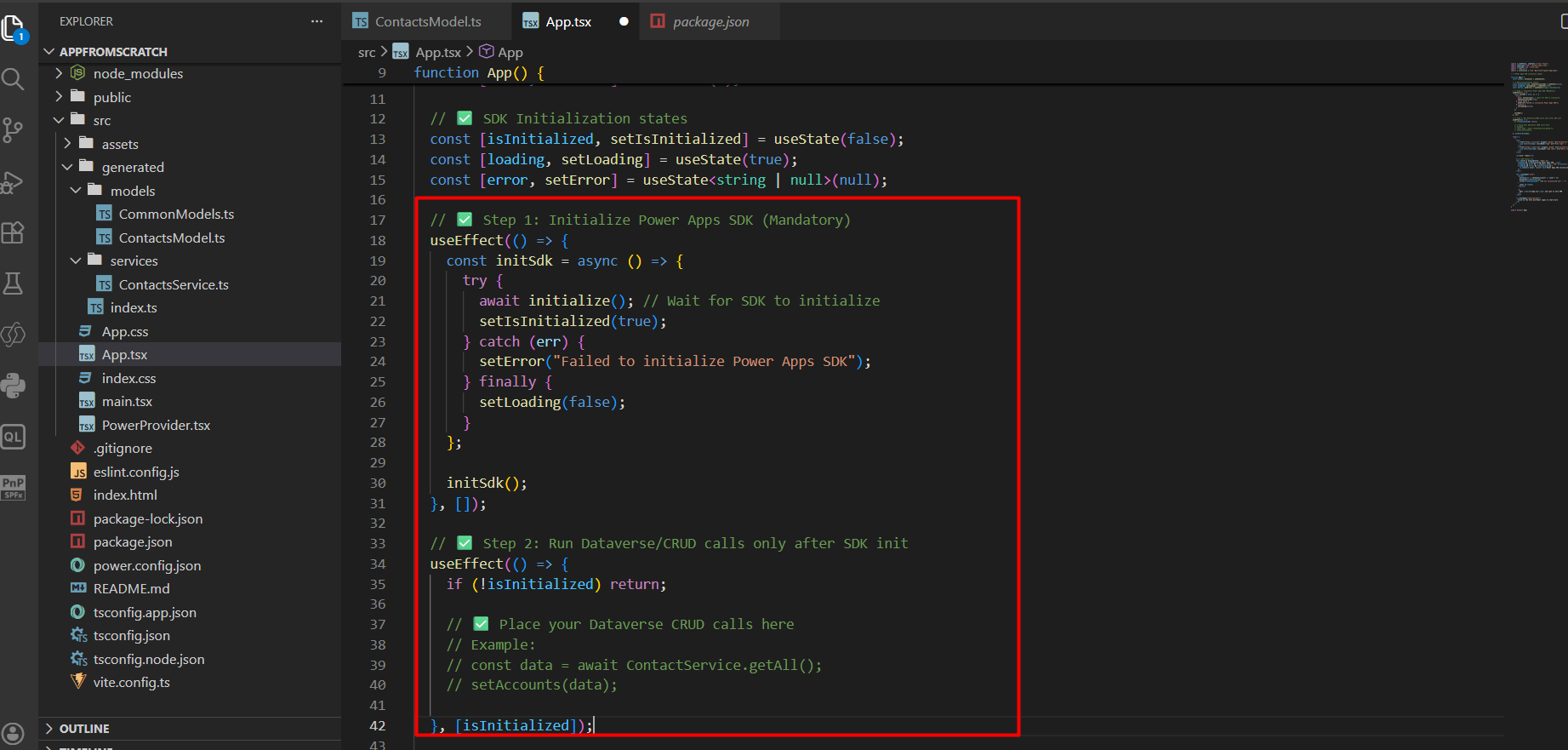
Note: If you get an error like "module not found" while importing the Power Apps SDK, install the SDK package first:
npm install @microsoft/power-appsAfter installation, import it in your project and ensure SDK initialization is completed before making any Dataverse calls.
Contact Management Operations:
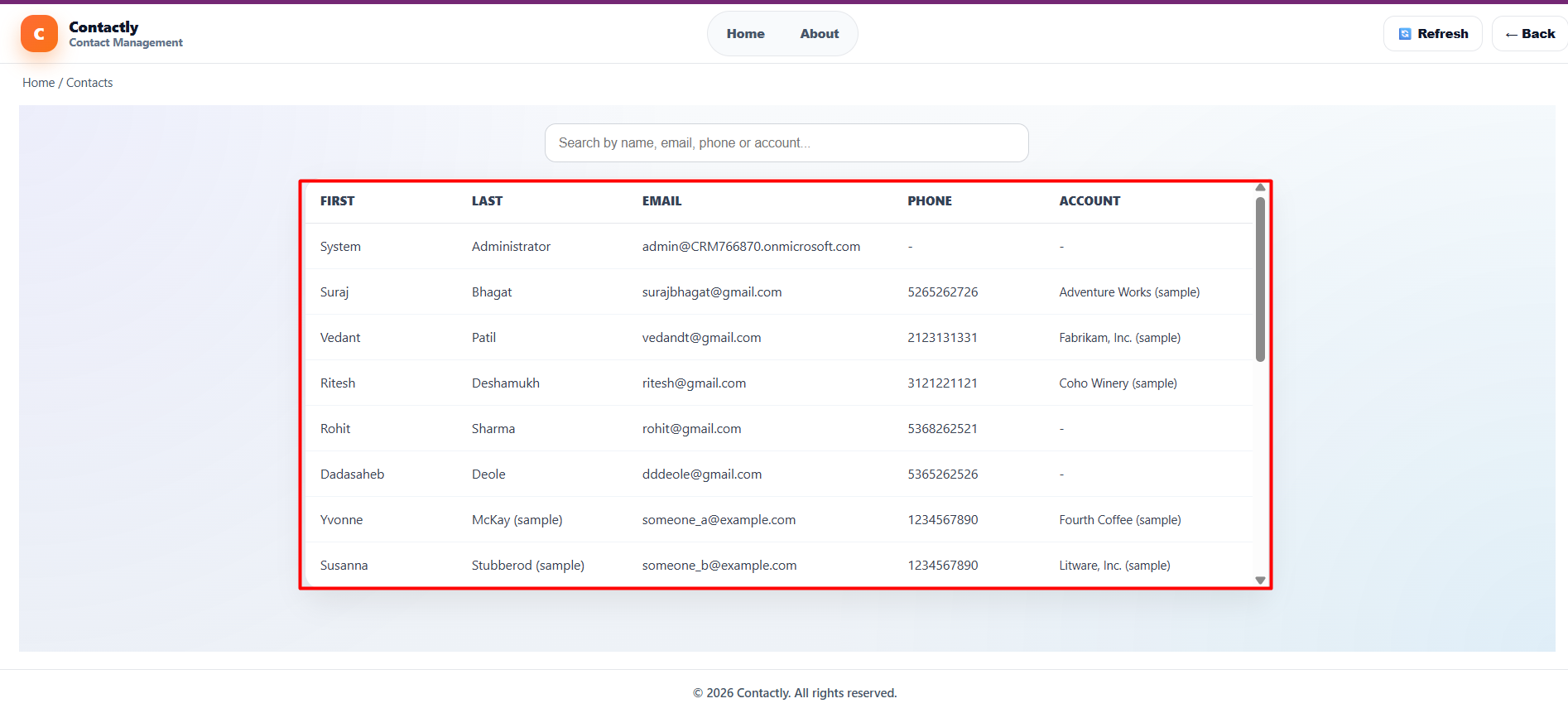
In this step, we retrieve contact records from Dataverse using the generated ContactsService.
import { ContactsService } from "../../generated/services/ContactsService";

import type { Contacts } from "../../generated/models/ContactsModel";


// ✅ GET ALL CONTACTS

export const getContacts = async (): Promise => {

  const res = await ContactsService.getAll({

    select: ["contactid", "firstname", "lastname", "emailaddress1", "mobilephone", "_parentcustomerid_value"]

  } as any);


  return (res as any)?.data?.value ?? (res as any)?.data ?? [];

}; 
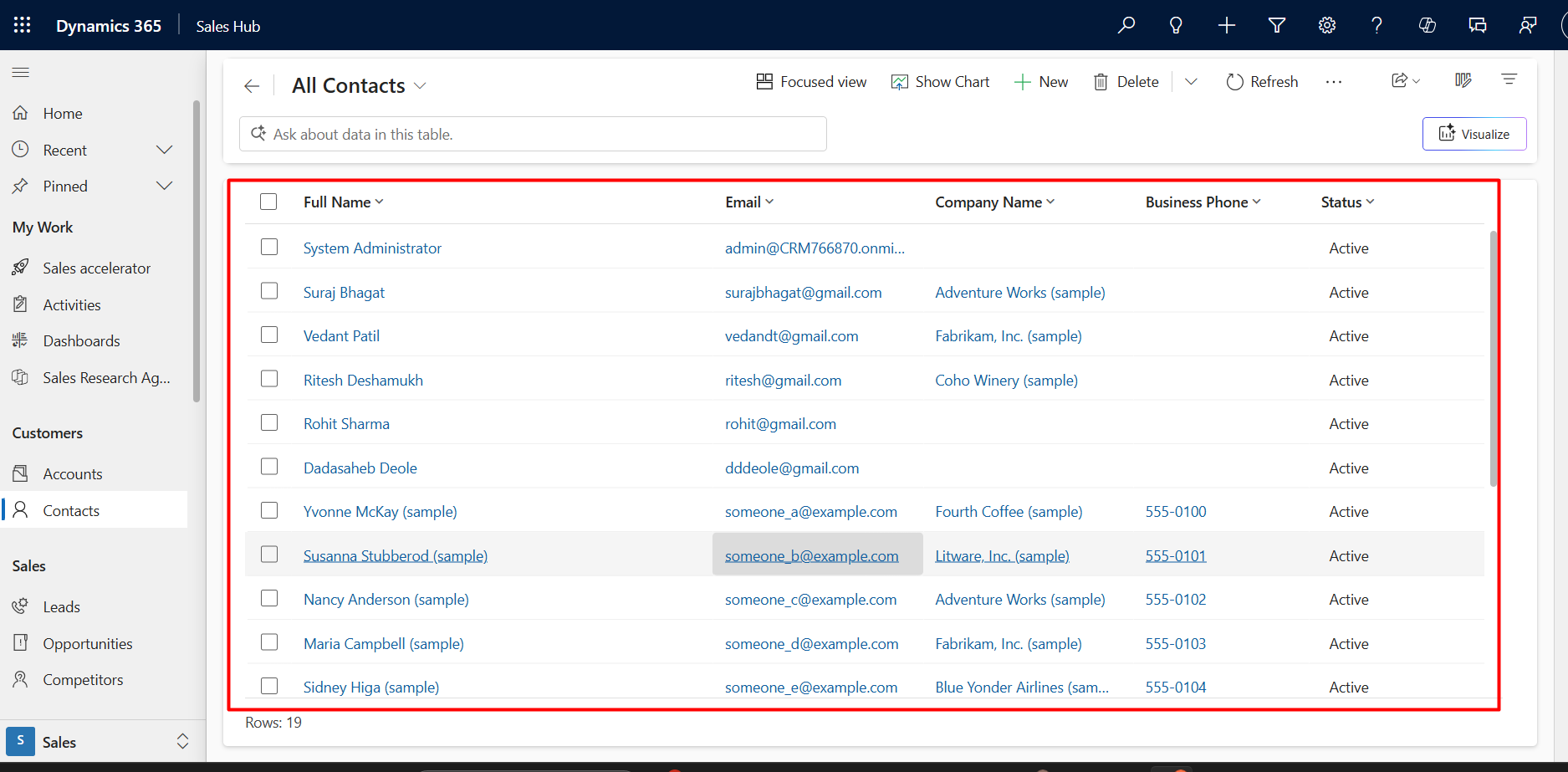
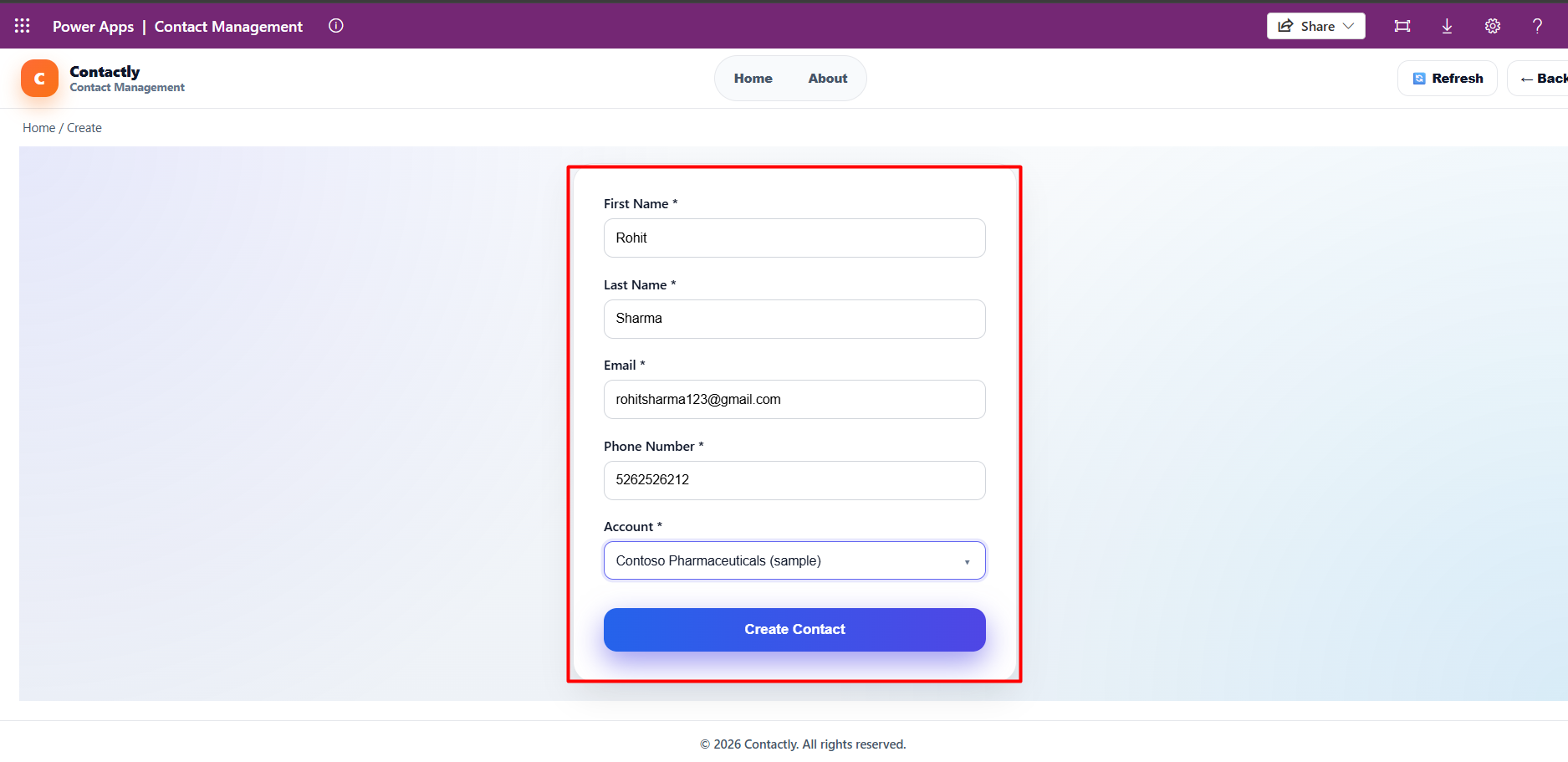
In this step, we create a new Contact record in Dataverse.
import { ContactsService } from "../../generated/services/ContactsService";

import type { ContactUpsertPayload } from "../../payloads/contactPayloads";


// ✅ CREATE CONTACT

export const createContact = async (payload: ContactUpsertPayload) => {

  const createPayload: any = {

    firstname: payload.firstname,

    lastname: payload.lastname,

    emailaddress1: payload.emailaddress1,

    mobilephone: payload.mobilephone

  };


  if (payload["parentcustomerid_account@odata.bind"]) {

    createPayload["parentcustomerid_account@odata.bind"] = payload["parentcustomerid_account@odata.bind"];

  }


  return await ContactsService.create(createPayload);

}; 
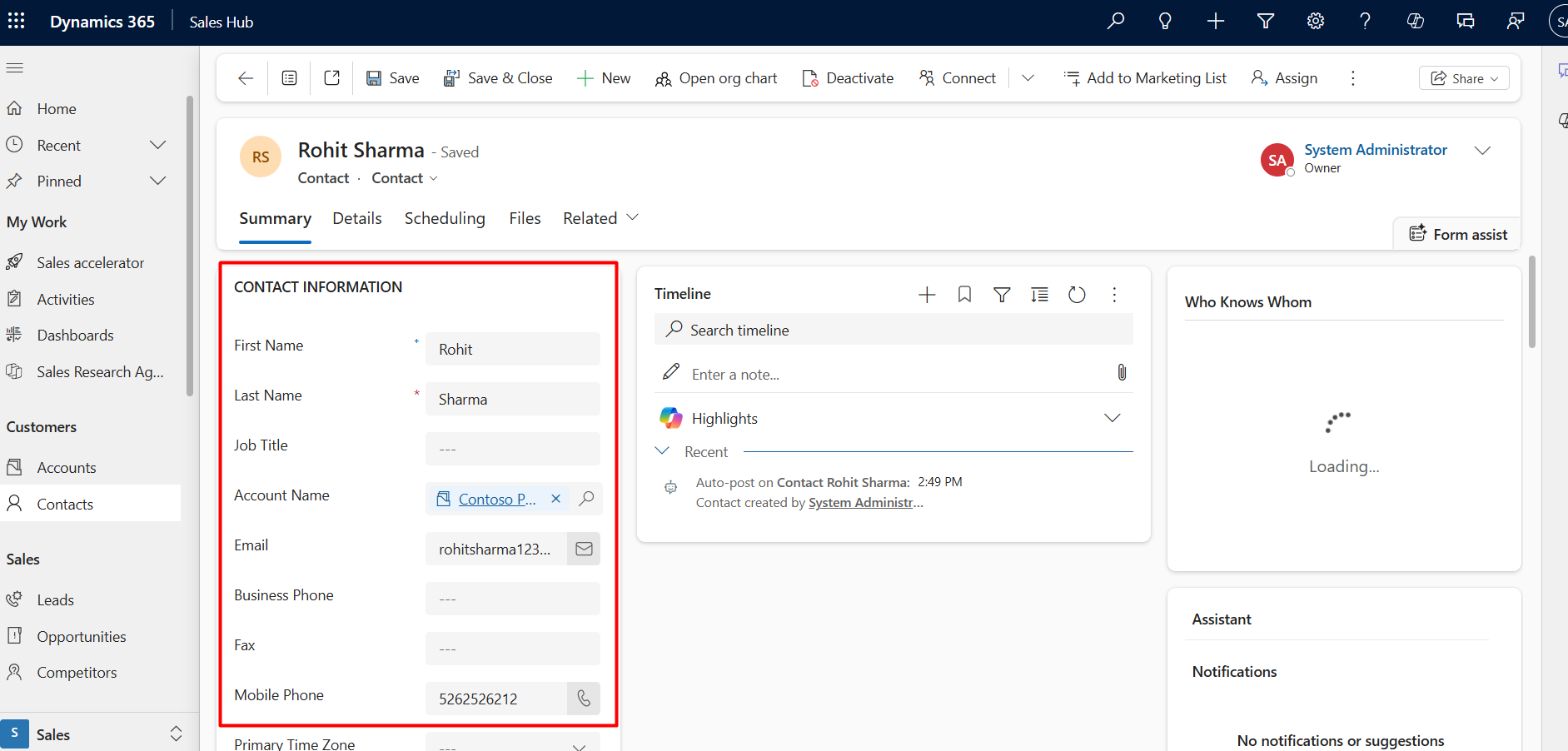
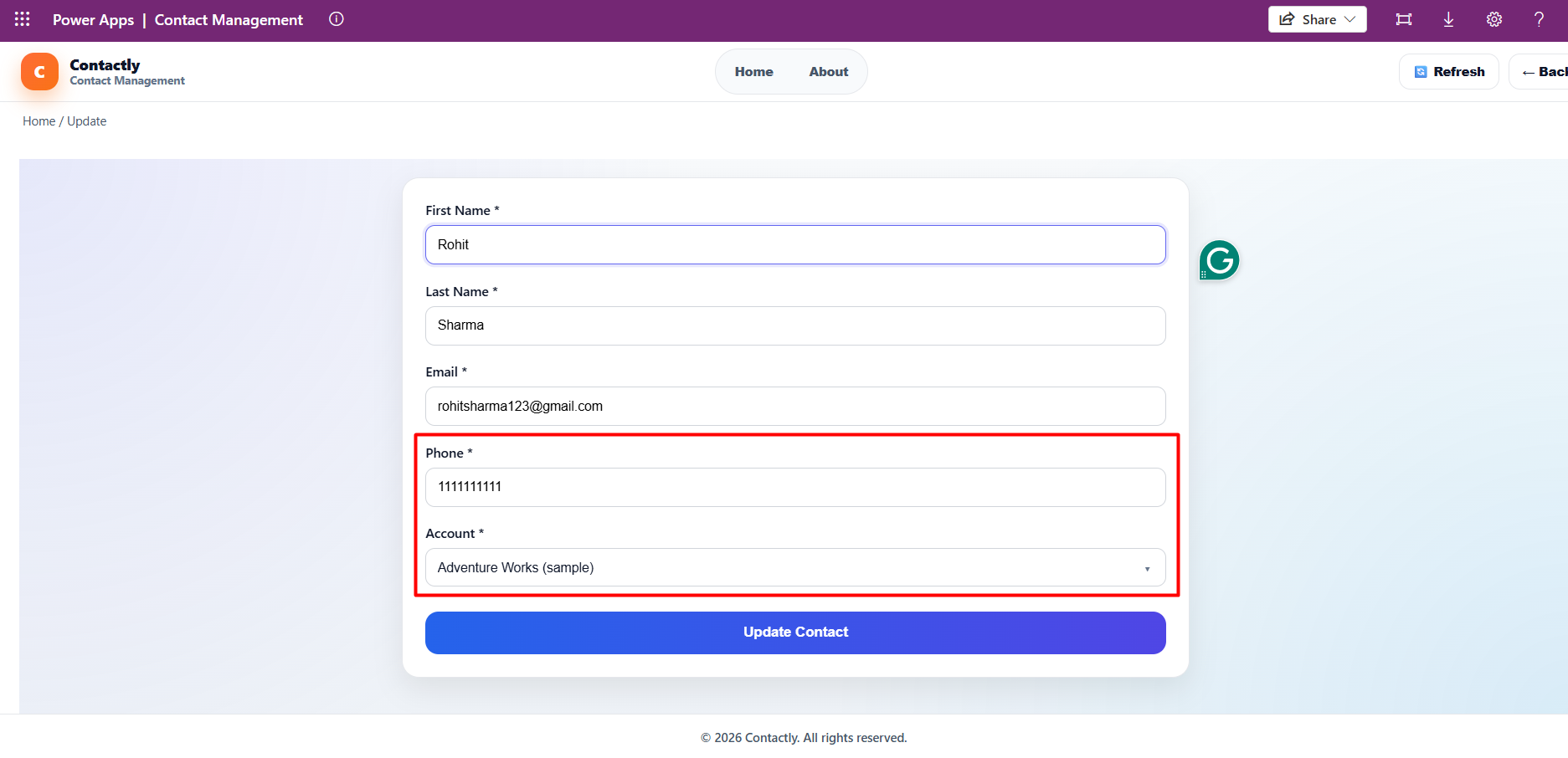
In this step, we update an existing Contact record in Dataverse.
import { ContactsService } from "../../generated/services/ContactsService";

import type { ContactUpsertPayload } from "../../payloads/contactPayloads";


// ✅ UPDATE CONTACT

export const updateContact = async (payload: ContactUpsertPayload) => {

  if (!payload.contactid) throw new Error("contactid required for update");


  const updatePayload: any = {

    firstname: payload.firstname,

    lastname: payload.lastname,

    emailaddress1: payload.emailaddress1,

    mobilephone: payload.mobilephone

  };


  if (payload["parentcustomerid_account@odata.bind"]) {

    updatePayload["parentcustomerid_account@odata.bind"] = payload["parentcustomerid_account@odata.bind"];

  }


  return await ContactsService.update(payload.contactid, updatePayload);

}; 
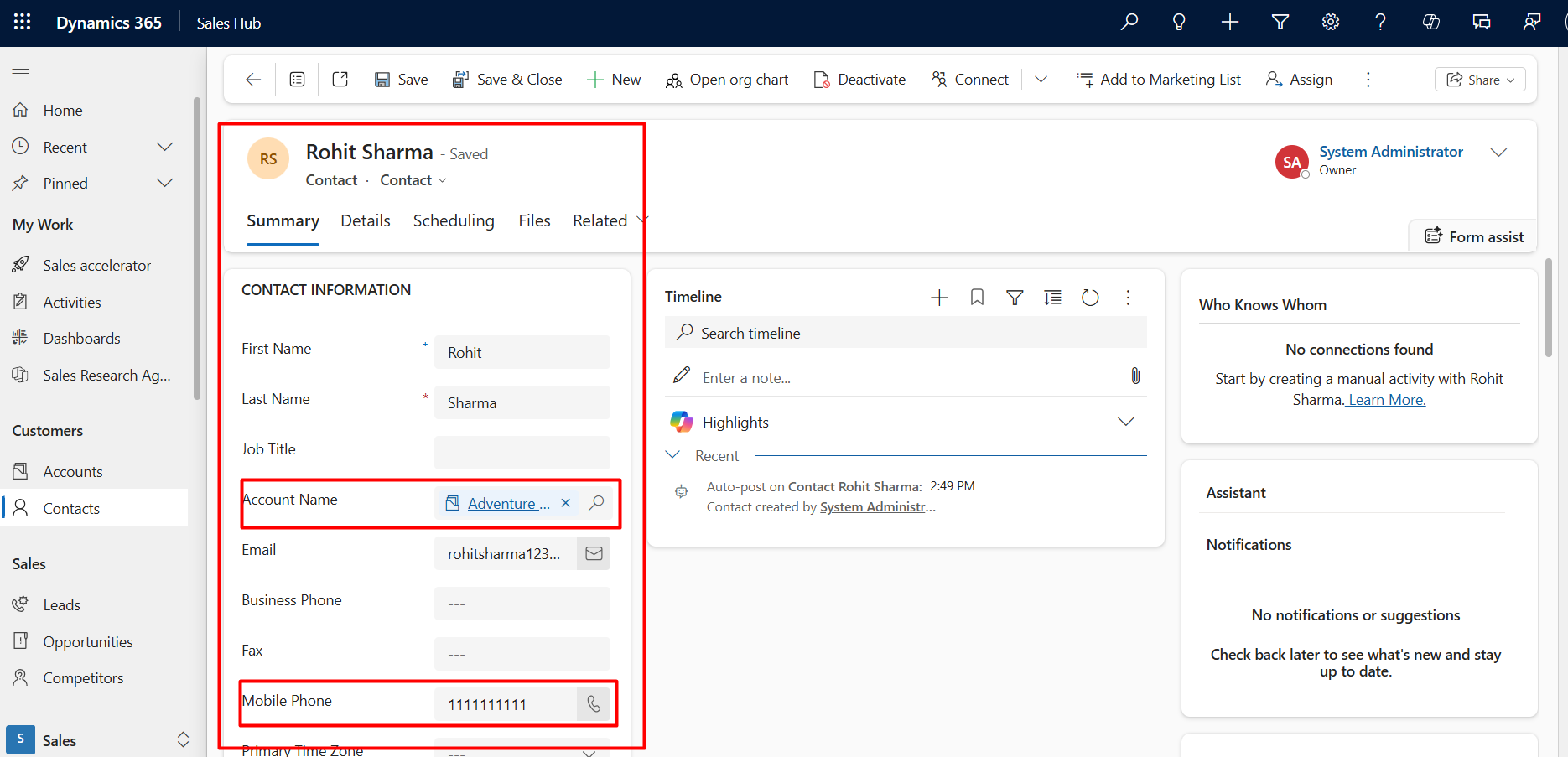
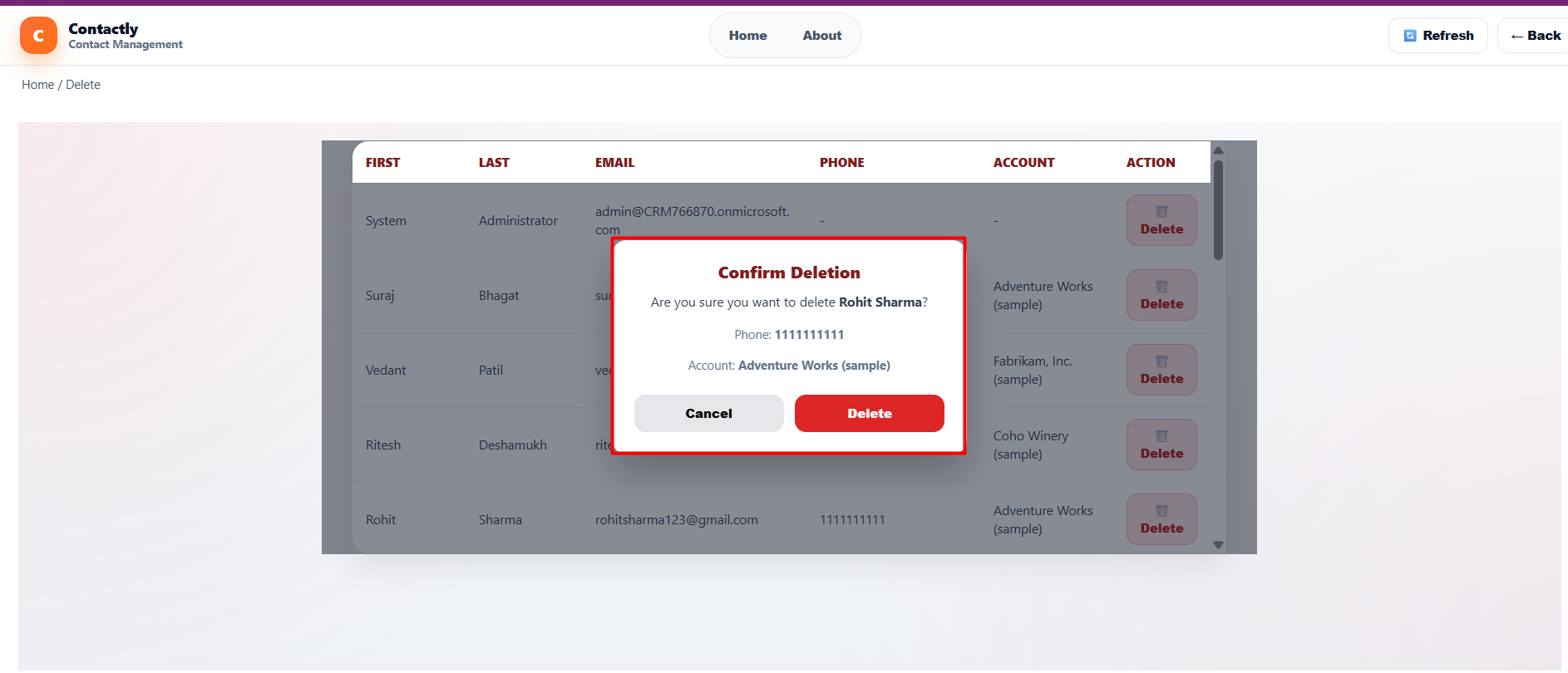
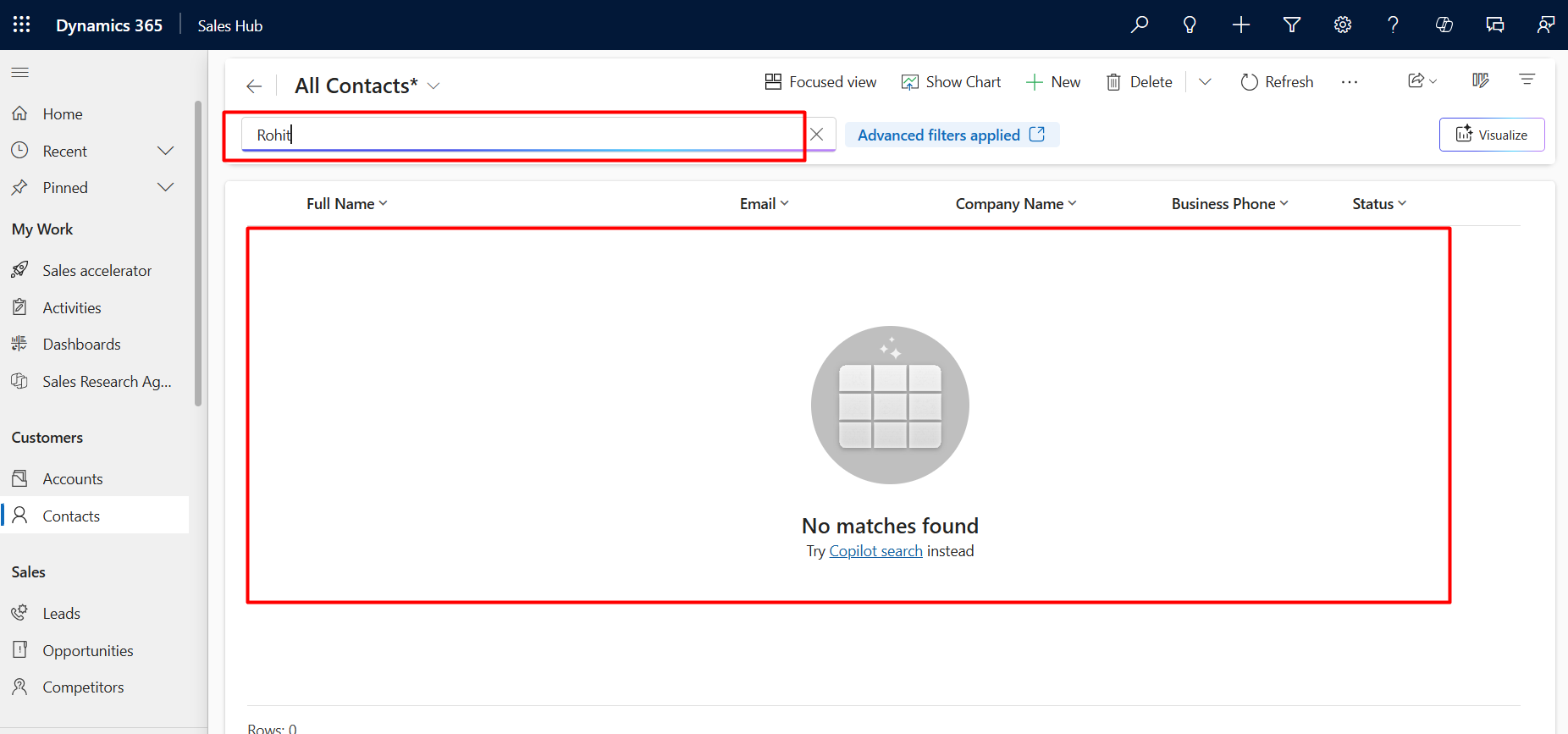
In this step, we delete a Contact record from Dataverse using the generated service method.
import { ContactsService } from "../../generated/services/ContactsService";


// ✅ DELETE CONTACT

export const deleteContact = async (id: string) => {

  return await ContactsService.delete(id);

}; 
Comment
Introduction Most teams building Power Automate flows eventually land on the same pattern: wrap your business logic in a Scope,…
READ MORE
Introduction Custom Pages provide a modern way to edit records in Dynamics 365. A common approach is to open a…
READ MORE
How to Dynamically Switch Business Process Flow When Changing Forms in Dynamics 365 Introduction Microsoft Dynamics 365 provides powerful customization…
READ MORE