knowledgecenter-breadcrum

Knowledge Center

19 Aug, 2020

Power BI July 2020 Update – Gradient Legend

Posted on 19 Aug, 2020 by Admin, Posted in Dynamics 365 Power BI

Power BI July 2020 Update – Gradient Legend Blogs

Power BI July 2020 Update – Gradient Legend

Introduction

  • Sometimes, when you conditionally format data colors on a visual it can be hard for report viewers to know on what basis the data is formatted.
  • With July 2020 update, you can now include a legend for data colors that have been conditionally formatted by color scale. This legend can help clarify the meaning of the colors in a visual to report viewers.

Conditionally Format The Data And Enable Gradient Legend:
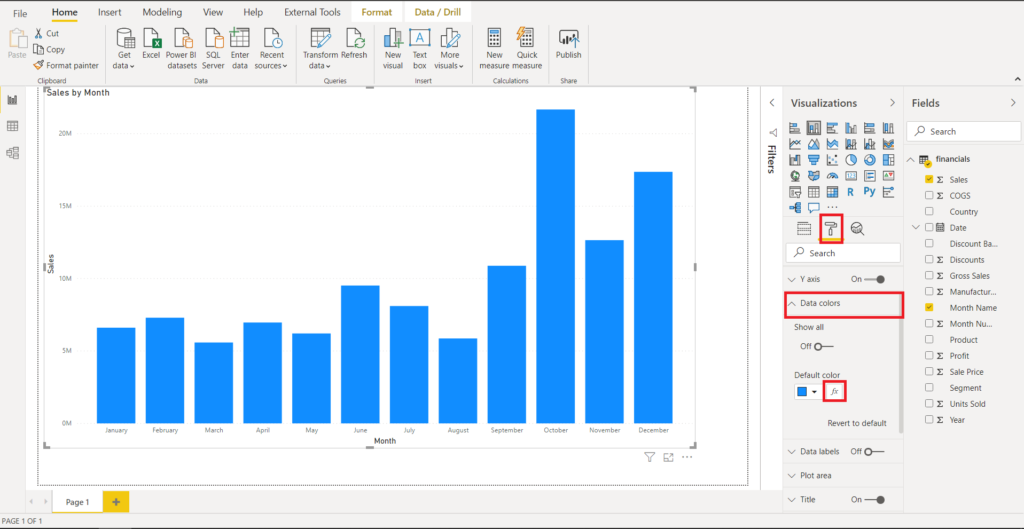
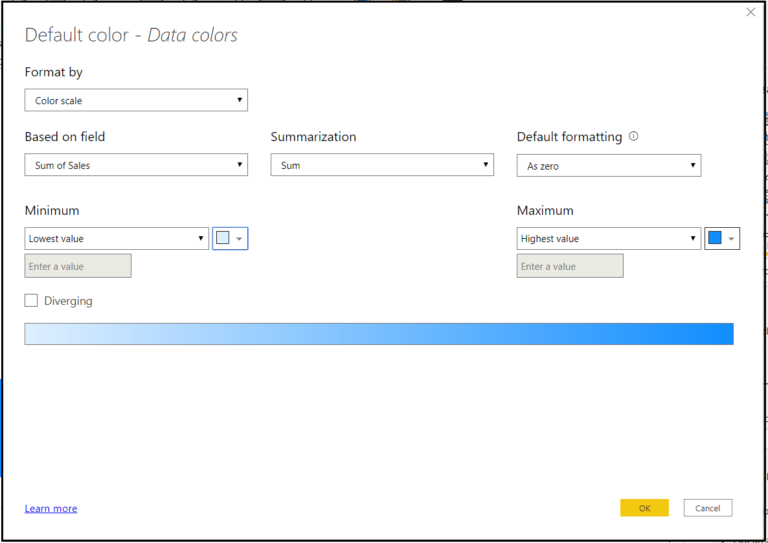
  • Go to Data Colors from the formatting pane and open the conditional formatting dialog.

  • Use this dialog to set a new rule to format your data along with a color scale:

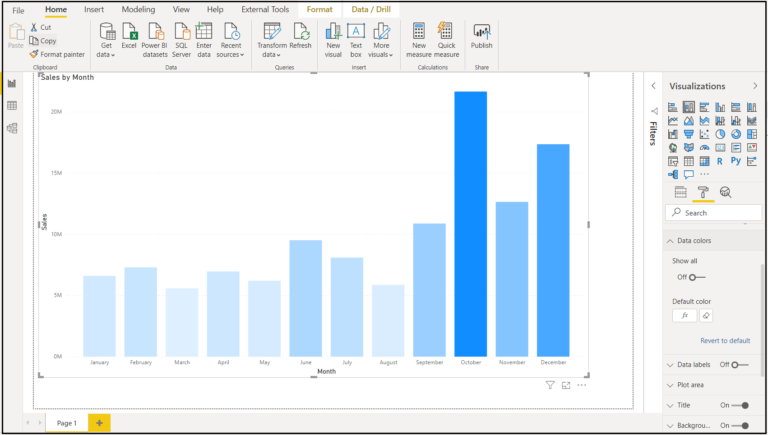
  • You can now see that the data in the visual is now formatted by the colors according to the rules you have set in the conditional format dialog.

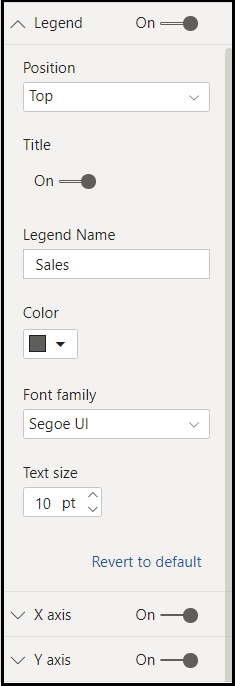
  • This will enable the Legend card in the formatting pane. You can enable the gradient legend by toggling it on, then format the legend as desired.

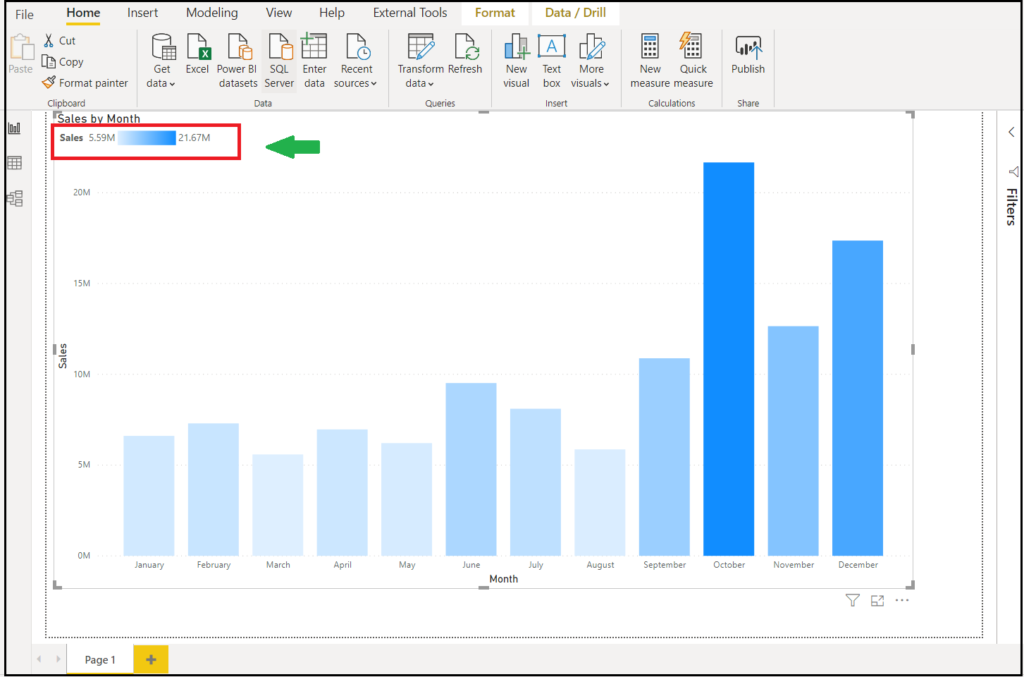
  • And now you can see the legend and know how the data in the visual is formatted.

Note: Please note that you cannot both conditionally format your data colors and split your data using the Legend field as well. This is because the Legend field already colors your data by category.

The gradient legend feature is enabled for bar, column, and scatter charts:

  • Stacked bar chart
  • Stacked column chart
  • Clustered bar chart
  • Clustered column chart
  • 100% stacked bar chart
  • 100% stacked column chart
  • Scatter chart

Comment

This is a Required Field

Loading

Recent Updates

Blogs
31 Mar, 2026

Debugging Power Pages Server Logic Using Visual Studio Code

Power Pages Server Logic allows developers to execute secure backend JavaScript directly within Power Pages. It is commonly used for…

READ MORE
Blogs
31 Mar, 2026

Create and Deploy a Single Page Application (SPA) in Power Pages

In this blog, we’ll build and deploy a Single Page Application (SPA) using React + Vite and host it on…

READ MORE

BuildAndDeployPCF_Thumbnail.png
Blogs
25 Mar, 2026

Build And Deploy Your First Dataset PCF Control In Dynamics 365

Introduction In Dynamics 365, subgrids are commonly used to display related records, such as Opportunities under an Account. While out-of-the-box…

READ MORE