
04 Jul, 2022
Posted on 04 Jul, 2022 by Admin, Posted in Dataverse Dynamics 365 Dynamics-365 Sales
 Blogs
Blogs
Introduction
In this blog, we will discuss how we can fetch data directly from sub-grid without using FetchXML in JavaScript.
It is always easy to fetch the data from the fields on form but what about fetching the data from the sub-grid added on the forms?
Here is how we can achieve this :
Example
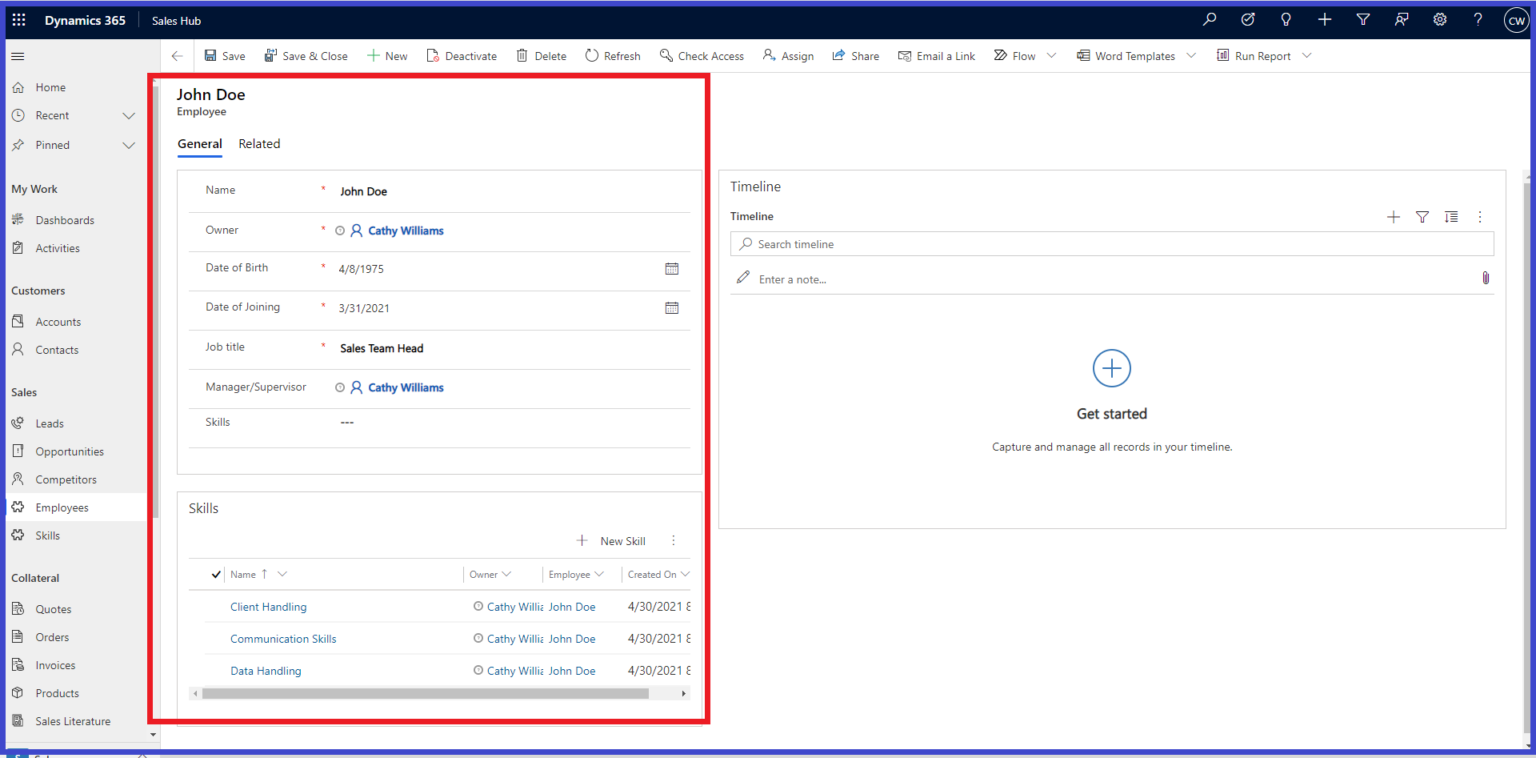
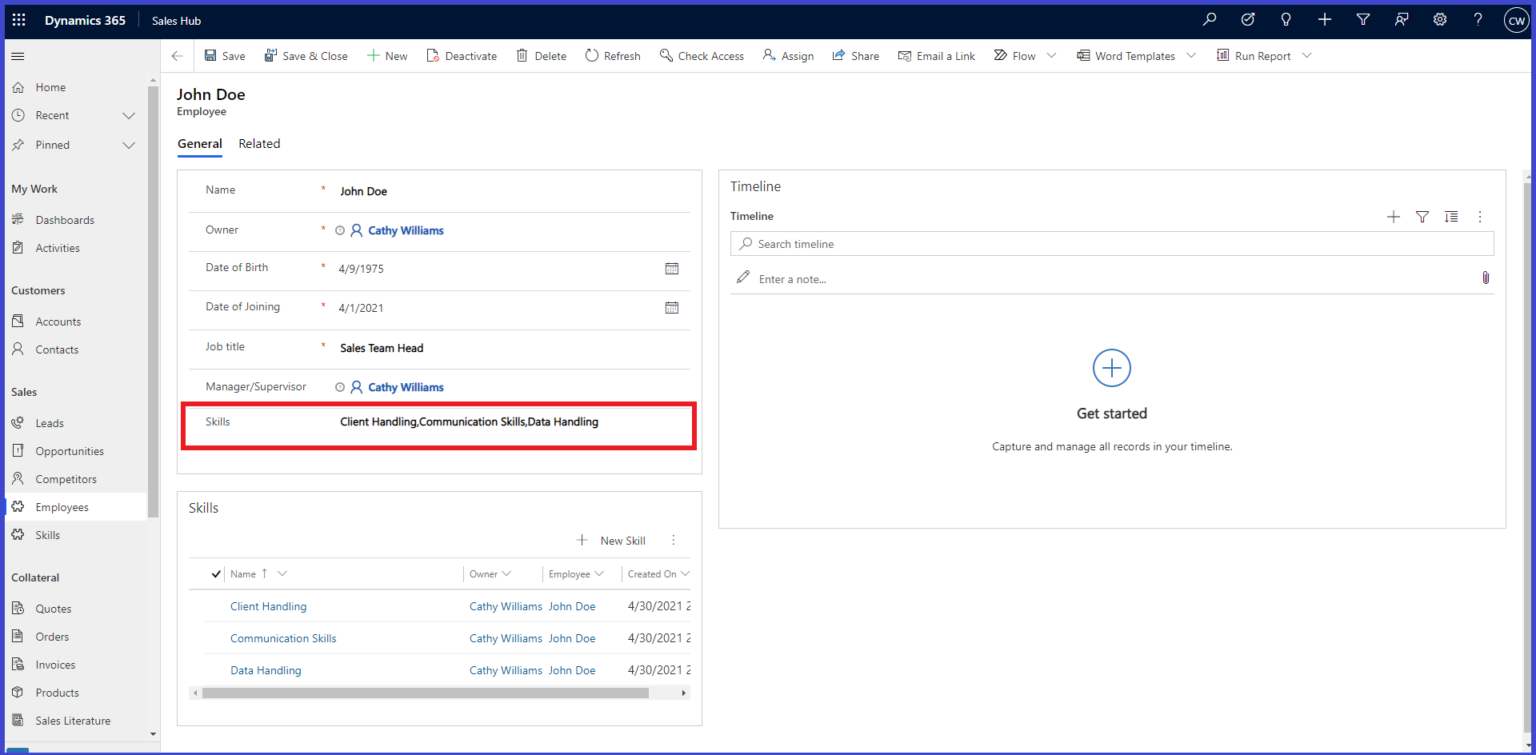
Suppose we have Employee form with Skills sub-grid added to it. We want to fetch the names of skills from sub-grid and append skill names in Skills field on Employee form.
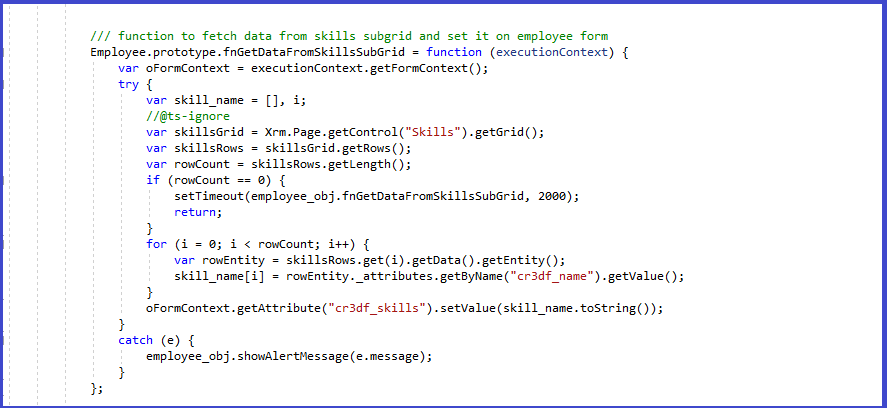
The javascript code will look like :
Result
Comment
How to Create a Flyout Button with Multiple Actions on a Form in Dynamics 365 Introduction In model-driven apps, command…
READ MORE
How to Build Multi-Table Hierarchies in Dynamics 365 Sales Introduction Dynamics 365 Sales has always supported hierarchies, but until…
READ MORE
Most Power BI reports in a Dynamics 365 environment live somewhere the user has to go and find: a dashboard,…
READ MORE