
03 Nov, 2021
Posted on 03 Nov, 2021 by Admin, Posted in Power Apps Dynamics-365 Sales Dynamics 365
 Blogs
Blogs
In this blog, we are going to see how we can open a lookup control with the click of a custom button.
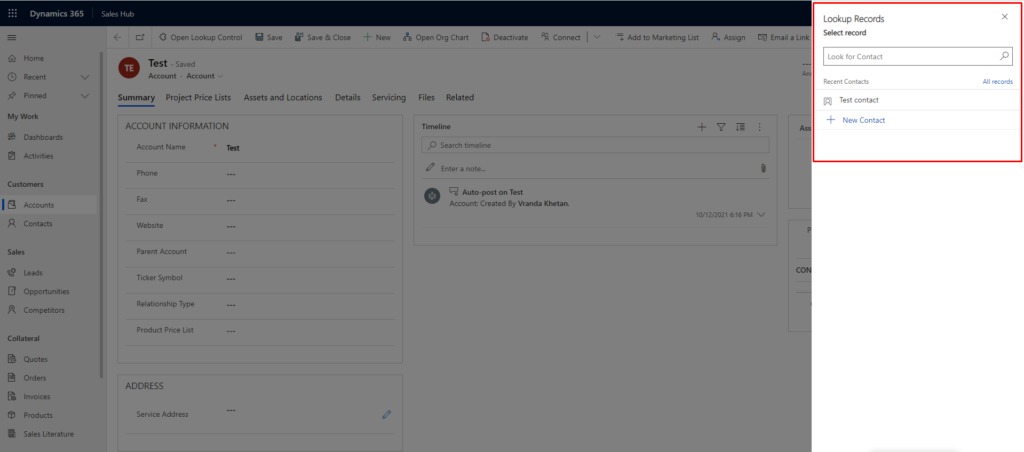
We are going to add a custom button named “Open Lookup Control” on the Account entity and on click of which it will open contact lookup control.
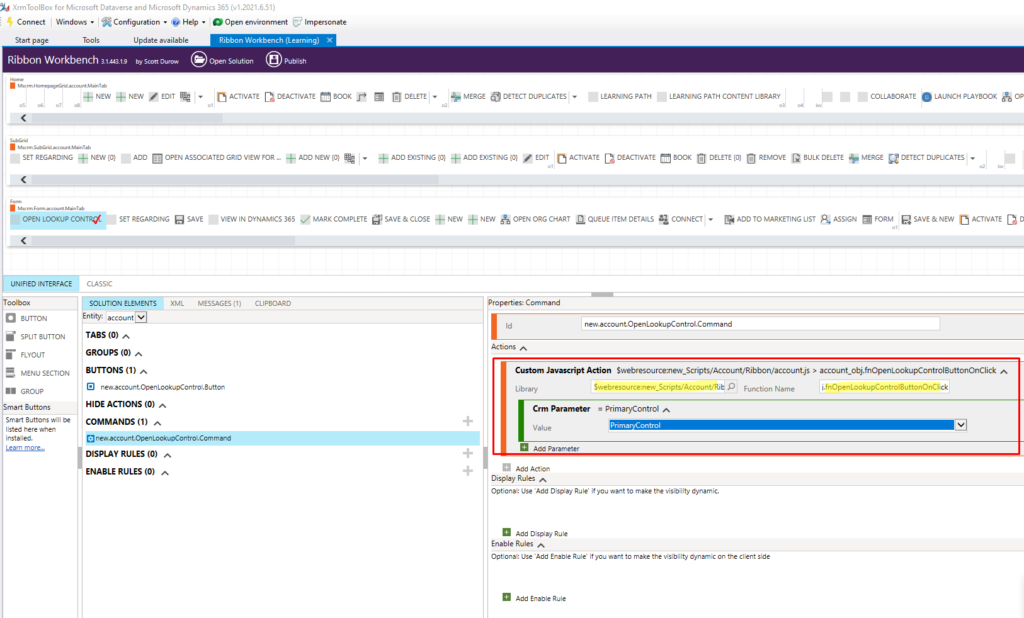
Step 1: Add a custom button on the account entity using Ribbon Workbench by adding its command and necessary details.
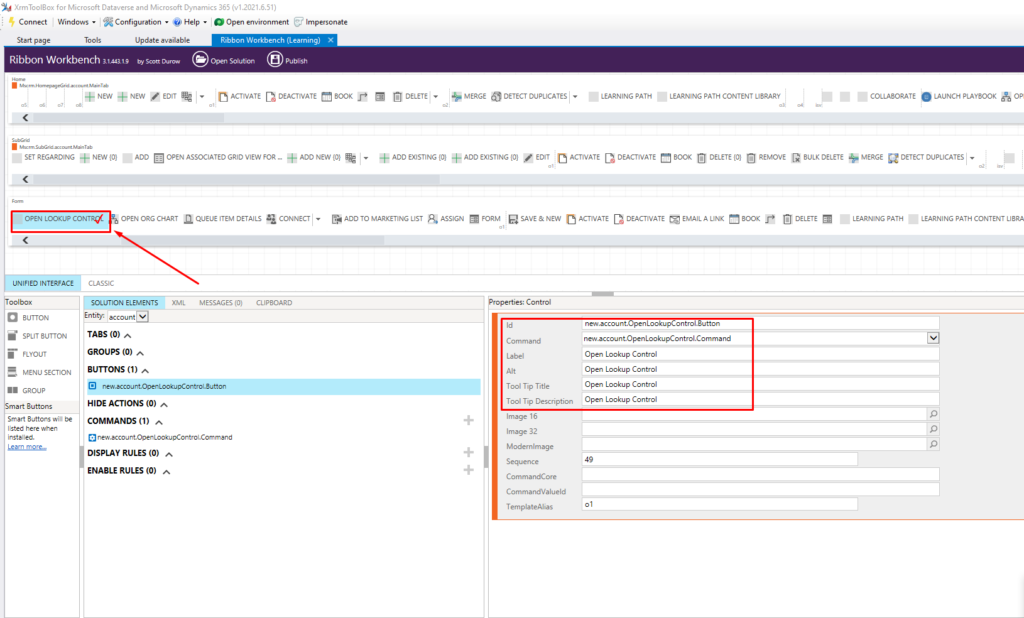
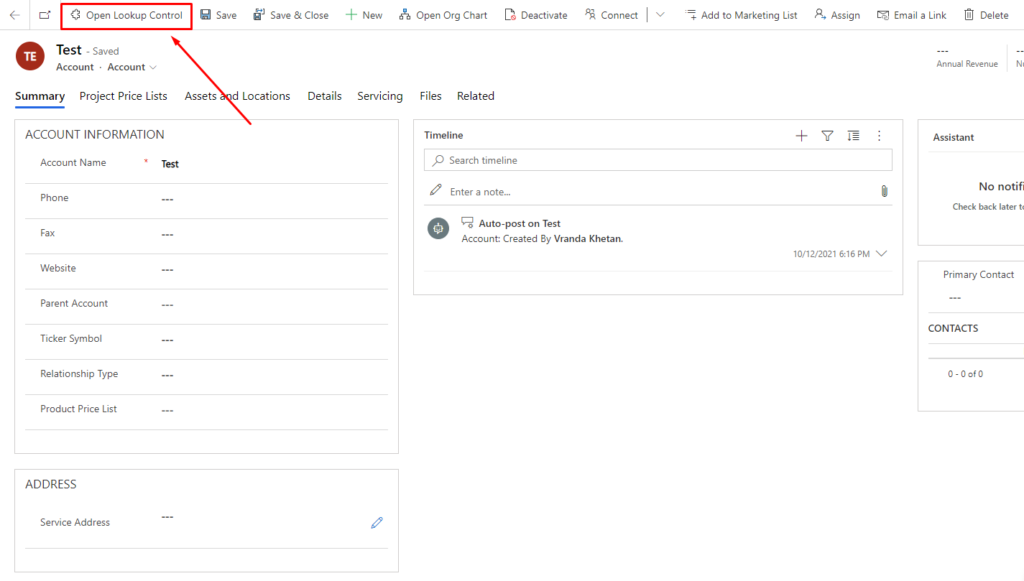
Step 2: Save and Publish the solution. Now you can see the button on the Account form.
Step 3: Add the following code in the script file for the button.
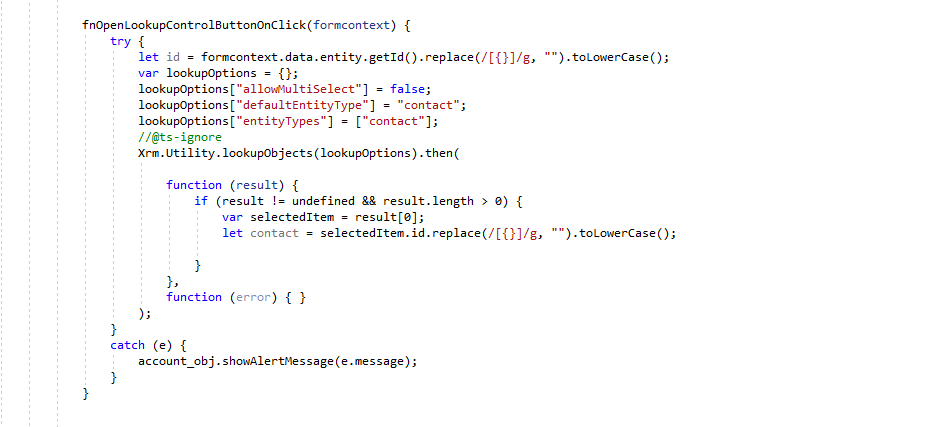
Step 4: Add the script file in Ribbon Workbench and publish the solution.
Comment

Power Pages Server Logic allows developers to execute secure backend JavaScript directly within Power Pages. It is commonly used for…
READ MORE
In this blog, we’ll build and deploy a Single Page Application (SPA) using React + Vite and host it on…
READ MORE
Introduction In Dynamics 365, subgrids are commonly used to display related records, such as Opportunities under an Account. While out-of-the-box…
READ MORE