
04 Jul, 2022
Posted on 04 Jul, 2022 by Admin, Posted in Dynamics 365 Power Automate Dataverse Power Platform
 Blogs
Blogs
Introduction:
In this blog, we will see how we can extract the plain text from email message record in Dataverse.
As we know, when we create email record with description then the description content will be stored in the form off HTML content. So, to get the plain text from the description field of email record. We can use the below step in power automate.
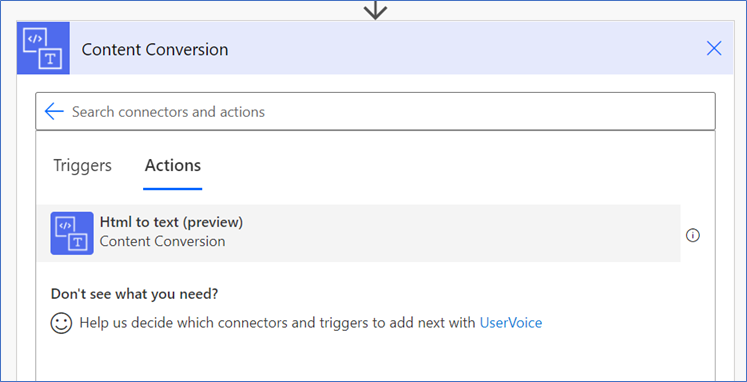
Let see the below example to get little more idea about above action.
Example:
We have created a power automate which triggers on create of email records and extract the plain text from email description field as shown below.
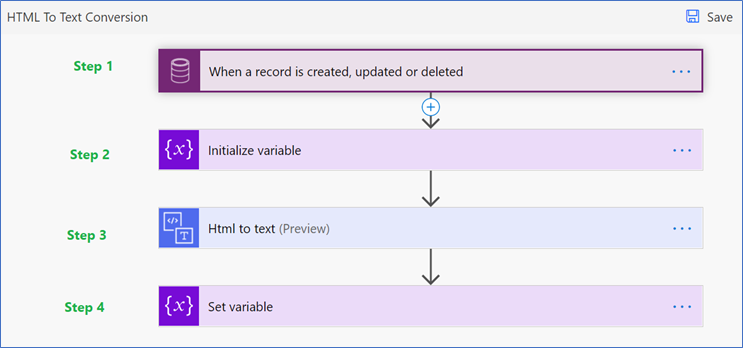
Power Automate details:
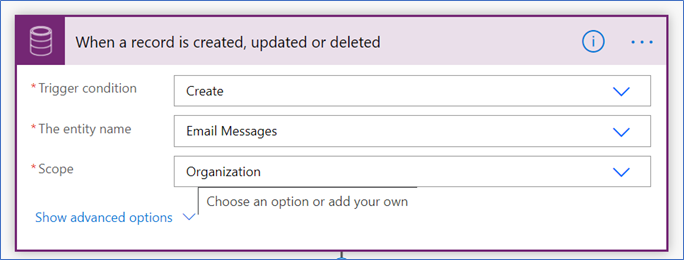
Step 1: the trigger point for power automate and it trigger on create of email as shown below:
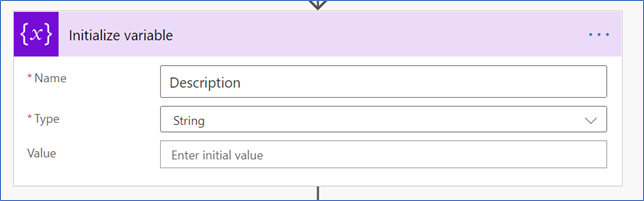
Step 2:
In this step, we have added the initialize variable action to store the description field value as plain text.
Step 3: In this step, we have used the “Content Conversion” action to get the plain text as shown below:
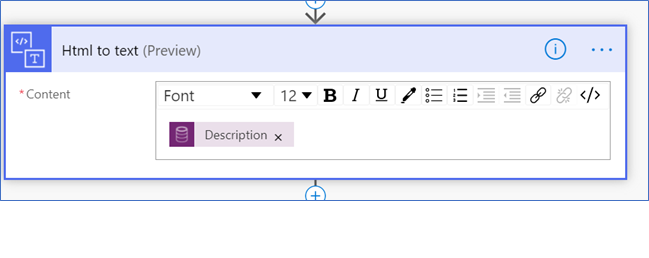
Step 4: In the final step, we used the set variable action to populate the plain text.
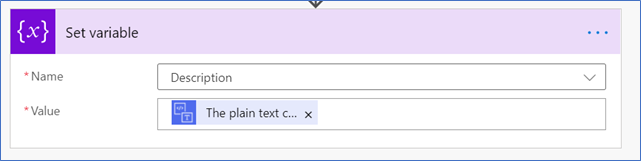
Result:
I have created below email record in CRM.

Power Automate Result:
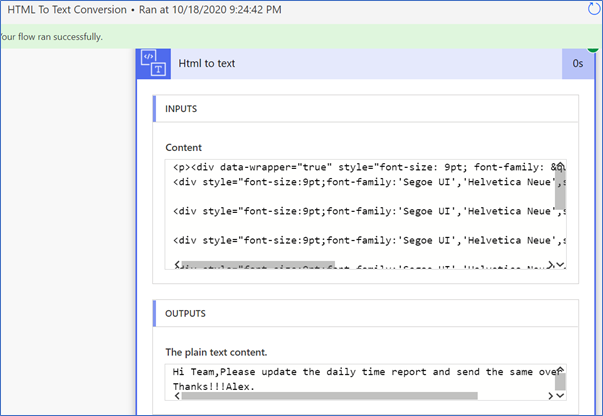
Comment

Power Pages Server Logic allows developers to execute secure backend JavaScript directly within Power Pages. It is commonly used for…
READ MORE
In this blog, we’ll build and deploy a Single Page Application (SPA) using React + Vite and host it on…
READ MORE
Introduction In Dynamics 365, subgrids are commonly used to display related records, such as Opportunities under an Account. While out-of-the-box…
READ MORE