
20 Jul, 2026
Posted on 20 Jul, 2026 by Bharathi Siripuram, Posted in Microsoft Power Platform Power Automate Dynamics-365 Sales Dynamics 365
 Blogs
Blogs
Introduction:
Organizations frequently generate documents like invoices, certificates, quotations, transcripts, inspection reports etc. While single-value fields such as Name, Email, or Date are straightforward to populate, challenges arise when the document needs to display multiple related records dynamically - for example, several line items on an invoice or a list of uploaded documents in a report.
This is where Microsoft Word's Repeating Section Content Control, combined with Power Automate, becomes extremely powerful. Together, they let you generate polished, data-driven documents automatically, without manually copying rows or relying on fixed-size tables.
In this blog, we will walk through how to build a word template with a repeating control and connect it to power automate flow, so it populates dynamically from your data source.
Prerequisites:
Step 1: Create Word Template
Start by building the base structure of your document.

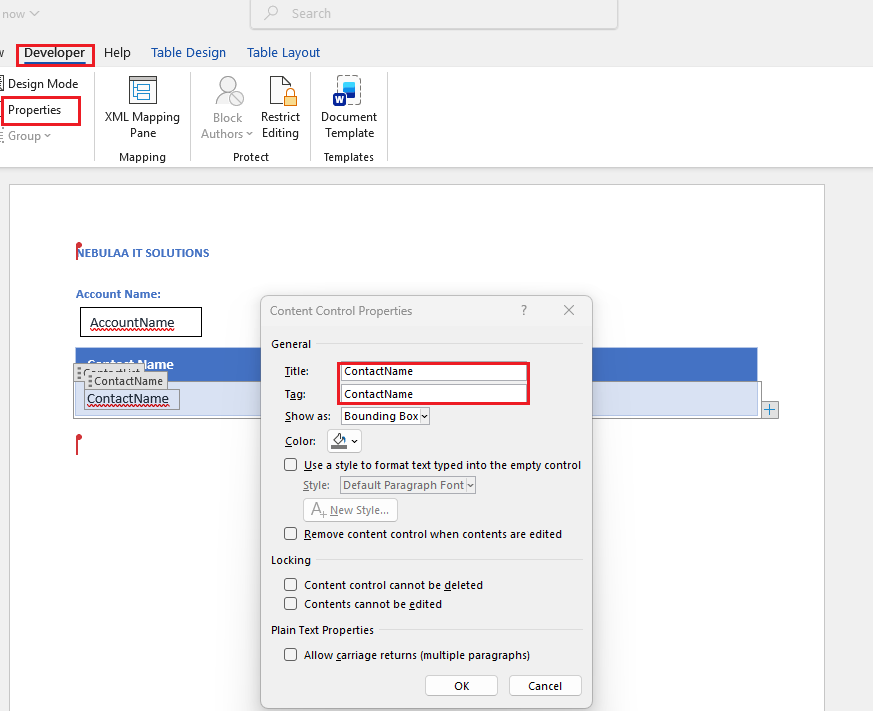
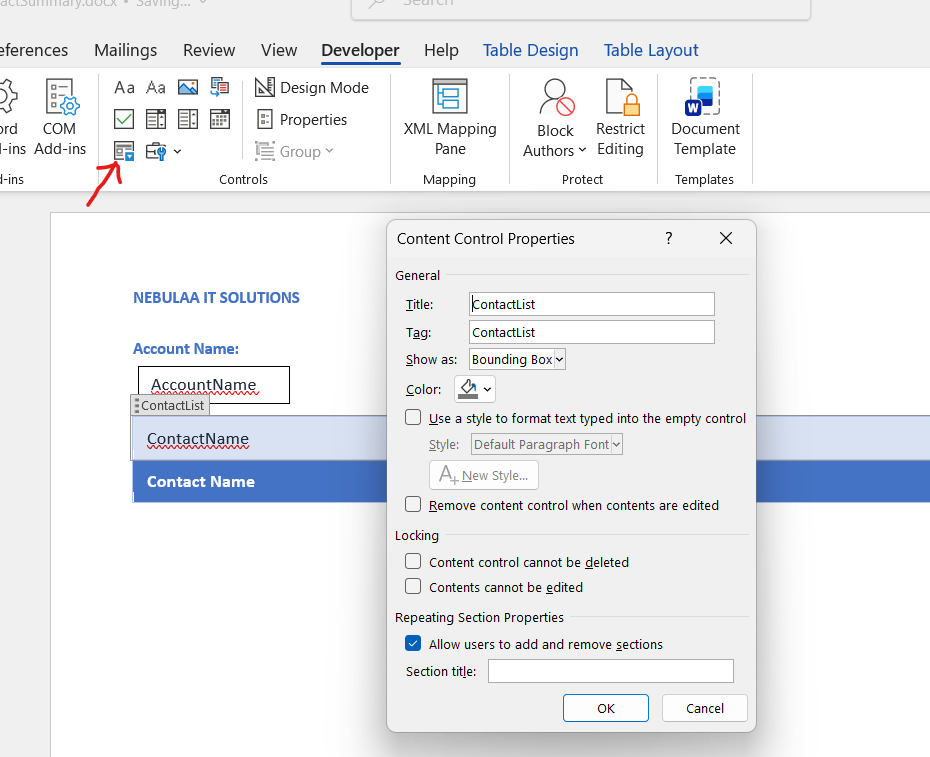
Step 2: Create a Repeating Section Content Control
Once your table row is ready
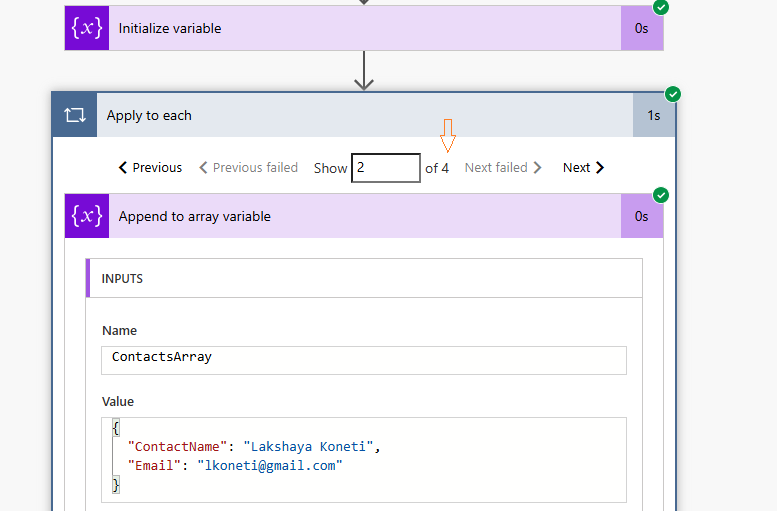
Step 3: Build the Array in Power Automate
Your Word template needs an array of records to loop through, so the next step is to construct that array in your flow.
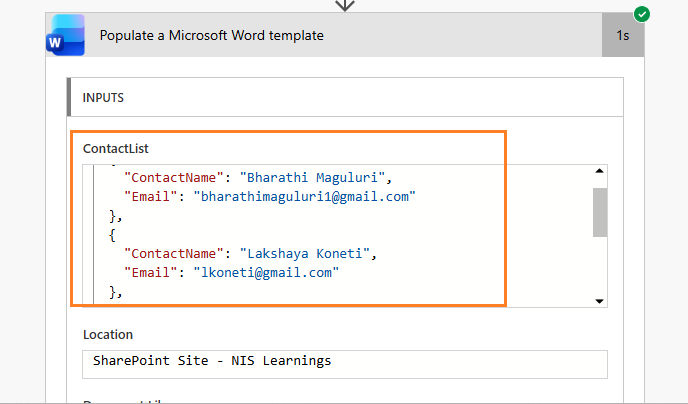
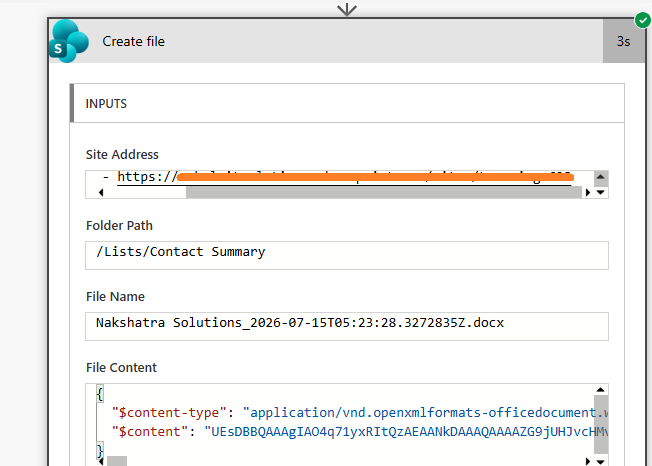
Step 4: Populate the Microsoft Word Template
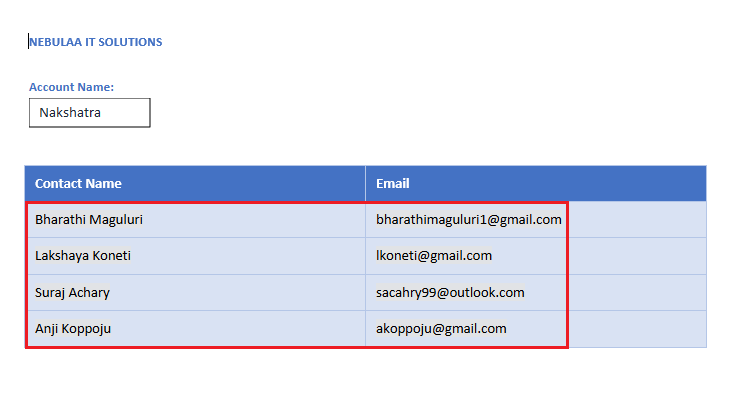
Step 5: Generate the Document
Finally, complete the flow to turn your populated template into a finished, deliverable document
Common Mistakes:
✗ Forgetting to keep JSON property names consistent with the Word content control titles
✗ Selecting only part of the row (instead of the full row) before applying the Repeating Section Content Control
✗ Leaving dates and numbers unformatted, expecting Word to format them automatically
✗ Hardcoding the template path instead of storing it centrally in SharePoint or OneDrive
Conclusion:
Repeating Section Content Controls make it remarkably easy to generate professional, dynamic documents from Dynamics 365 or any other data source. Whether you're dealing with one related record or a hundred, this approach scales cleanly, with no fixed-size tables, no manual editing, and no version drift between your data and your documents.
Comment
Introduction Most teams building Power Automate flows eventually land on the same pattern: wrap your business logic in a Scope,…
READ MORE
Introduction Custom Pages provide a modern way to edit records in Dynamics 365. A common approach is to open a…
READ MORE
How to Dynamically Switch Business Process Flow When Changing Forms in Dynamics 365 Introduction Microsoft Dynamics 365 provides powerful customization…
READ MORE